This guide is written for beginners, business owners, students, marketers, developers, educators, customer support teams, and anyone who wants to understand chatbot technology from the ground up. No programming knowledge is required for this section.
Introduction
A Complete Beginner’s Handbook to Understanding, Building, and Using Modern AI Chatbots
Chatbots have transformed the way people communicate with businesses, websites, mobile applications, and digital services. What began as simple automated messaging systems has evolved into sophisticated artificial intelligence (AI) assistants capable of answering questions, solving problems, generating content, writing code, translating languages, and even assisting with education and healthcare.
Today, millions of people interact with chatbots every day without realizing it. Whether asking an online store about shipping, receiving banking assistance, chatting with an AI writing assistant, or getting technical support, chatbot technology powers countless digital experiences.
Modern chatbots are no longer limited to scripted responses. Thanks to advances in artificial intelligence, natural language processing (NLP), machine learning, and large language models (LLMs), today’s chatbots understand context, maintain conversations, and generate human-like responses.
This guide explores chatbot technology in depth while remaining accessible to beginners. Throughout the series, you’ll learn how chatbots work, where they’re used, their benefits and limitations, security considerations, and how businesses can successfully implement them.
What Is a Chatbot?
A chatbot is a computer program designed to simulate conversation with human users through text or voice.
Rather than requiring users to search through menus or documentation, chatbots allow people to ask questions naturally.
Examples include:
Customer support assistants
AI writing assistants
Banking assistants
Healthcare information assistants
Educational tutors
Shopping assistants
Travel booking assistants
HR assistants
Modern chatbots can operate on:
Websites
Mobile apps
Messaging platforms
Voice assistants
Enterprise software
Customer support systems
Did You Know?
AI-powered chatbots can significantly reduce customer response times while helping support teams handle repetitive questions more efficiently. Human agents remain essential for complex, sensitive, or high-stakes situations.
A Brief History of Chatbots
Understanding chatbot history helps explain how today’s AI assistants became so capable.
ELIZA (1966)
One of the earliest chatbots was ELIZA, created by computer scientist Joseph Weizenbaum. ELIZA simulated conversation using pattern matching rather than genuine understanding.
Although simple by today’s standards, ELIZA demonstrated that computers could imitate human conversation.
Rule-Based Bots
During the following decades, businesses built chatbots using predefined rules.
Example:
Customer: What are your opening hours?
Bot: We are open Monday to Friday from 9 AM to 5 PM.
These bots could only answer questions they had been programmed to recognize.
Intelligent Virtual Assistants
The next generation included assistants such as Siri, Google Assistant, Alexa, and Cortana, combining speech recognition with AI technologies.
Large Language Models
Recent advances in generative AI have enabled chatbots to understand context, summarize information, generate text, assist with programming, and engage in more natural conversations.
How Chatbots Work
Although they may appear intelligent, chatbots combine several technologies behind the scenes.
User Input
The user enters a question or message.
Example:
“Can you recommend a laptop under $800?”
Natural Language Processing (NLP)
The chatbot analyzes:
Words
Grammar
Intent
Context
Meaning
Rather than searching for exact keywords, NLP helps determine what the user is trying to accomplish.
Decision Engine
The chatbot decides how to respond.
Depending on the system, it may:
Search a knowledge base
Query a database
Retrieve company documentation
Use AI reasoning
Generate a new response
Response Generation
Finally, the chatbot sends its answer back to the user.
For AI chatbots, this response may be generated dynamically based on the conversation.
Types of Chatbots
Understanding the different categories helps beginners choose the right solution.
Rule-Based Chatbots
These rely on predefined conversation flows.
Advantages:
Easy to build
Predictable responses
Fast
Low cost
Limitations:
Cannot answer unexpected questions
Limited flexibility
AI Chatbots
These use machine learning and natural language processing to understand user intent.
Advantages:
More natural conversations
Better understanding of context
Flexible responses
Continuous improvement through updated models
Limitations:
May occasionally produce incorrect or incomplete information
Require careful evaluation for high-stakes use cases
Hybrid Chatbots
Hybrid systems combine rule-based workflows with AI capabilities.
Example:
Password reset follows a fixed workflow.
Product recommendations use AI.
Complex billing issues are transferred to a human agent.
This combination often balances reliability and flexibility.
Best Practice
Design chatbots to hand conversations to human agents when requests become too complex, sensitive, or require human judgment.
Common Uses of Chatbots
Chatbots support many industries.
Customer Service
They answer frequently asked questions, provide order updates, and help customers find information.
E-commerce
Shopping assistants can recommend products, answer questions, and guide users through purchases.
Education
AI tutors explain concepts, create quizzes, summarize lessons, and support personalized learning.
Healthcare
Healthcare chatbots may provide general educational information, appointment scheduling, and symptom guidance. They should not replace qualified medical professionals for diagnosis or treatment.
Banking
Banks use chatbots for balance inquiries, transaction histories, fraud alerts, and customer support.
Human Resources
Organizations use internal chatbots to answer employee questions about leave policies, benefits, and onboarding.
Benefits of Chatbot Technology
Organizations increasingly adopt chatbots because they can:
Improve customer response times
Provide support around the clock
Handle repetitive questions efficiently
Scale during busy periods
Offer consistent answers based on approved information
Assist employees with internal knowledge
Reduce operational costs for routine interactions
Improve customer satisfaction when implemented well
Successful deployments depend on thoughtful design, regular updates, and clear escalation paths to human support.
Key Takeaways
Chatbots simulate conversations using text or voice.
Modern AI chatbots rely on natural language processing and large language models.
Rule-based, AI-powered, and hybrid chatbots each serve different needs.
Chatbots are widely used in customer service, education, healthcare, banking, and e-commerce.
The most effective chatbot systems complement, rather than replace, human expertise.
Chatbot Architecture, Natural Language Processing (NLP), Large Language Models (LLMs), and Building Your First Chatbot
Building a Strong Foundation
Before creating a chatbot, it’s important to understand the technologies that power modern conversational AI. A well-designed chatbot combines language understanding, reliable data sources, and a clear conversation flow.
Understanding Chatbot Architecture
A chatbot is made up of several connected components that work together to understand user requests and provide helpful responses.
1. User Interface (UI)
The user interface is where people interact with the chatbot. It may appear on:
A business website
A mobile application
A messaging platform
A customer support portal
A voice assistant
The interface should be simple, responsive, and accessible.
2. Input Processing
When a user sends a message, the chatbot processes the text (or voice converted to text) to identify:
Keywords
User intent
Important entities (such as names, dates, products, or locations)
Conversation context
For example:
User: “I’d like to book a hotel in Lagos next weekend.”
The chatbot identifies:
Intent: Book accommodation
Location: Lagos
Time: Next weekend
3. Knowledge Source
A chatbot may answer questions using:
Company documentation
Frequently Asked Questions (FAQs)
Product catalogs
Internal knowledge bases
Databases
AI language models
Keeping these knowledge sources accurate and up to date is essential for reliable responses.
4. Response Generation
The chatbot generates a response based on the user’s request. Depending on its design, it may:
Retrieve an existing answer.
Perform a search within approved documents.
Generate a new response using AI while following system instructions.
5. Continuous Improvement
Organizations should regularly review chatbot conversations to:
Identify unanswered questions.
Improve conversation flows.
Update knowledge bases.
Correct inaccurate responses.
Enhance the overall user experience.
Best Practice
Measure chatbot performance using metrics such as user satisfaction, successful task completion, response time, and escalation rate to human agents.
What Is Natural Language Processing (NLP)?
Natural Language Processing (NLP) is a field of artificial intelligence that enables computers to understand, interpret, and generate human language.
NLP allows users to communicate naturally instead of using strict commands.
Common NLP Tasks
Language detection
Tokenization (breaking text into meaningful units)
Part-of-speech tagging
Named entity recognition
Sentiment analysis
Intent recognition
Text summarization
Translation
For example, if a customer types:
“My order hasn’t arrived yet.”
An NLP system can recognize that the user is asking about an order status rather than simply matching keywords.
Large Language Models (LLMs)
Large Language Models (LLMs) are advanced AI systems trained on vast amounts of text. They can:
Answer questions
Summarize documents
Draft emails
Generate code
Translate languages
Explain complex topics
Brainstorm ideas
LLMs do not “think” like humans, but they generate responses by predicting likely sequences of text based on patterns learned during training.
Organizations often combine LLMs with trusted company data so responses are grounded in current, approved information.
Retrieval-Augmented Generation (RAG)
A popular approach in modern chatbot design is Retrieval-Augmented Generation (RAG).
Instead of relying only on what the model learned during training, the chatbot first retrieves relevant information from trusted documents and then uses that information to generate a response.
Benefits include:
More accurate answers
Up-to-date information
Reduced likelihood of unsupported responses
Better transparency when linked to source documents
Callout: Why RAG Matters
For businesses, connecting an AI chatbot to verified internal documents helps improve reliability and ensures customers receive information based on approved company content.
Choosing a Chatbot Platform
When selecting a chatbot platform, consider:
Ease of use
AI capabilities
Integration options
Security features
Analytics and reporting
Scalability
Pricing
Documentation and community support
The best choice depends on your organization’s goals, technical expertise, and budget.
Steps to Build Your First Chatbot
Define the chatbot’s purpose (for example, customer support or lead generation).
Identify the most common user questions.
Gather accurate content from trusted sources.
Design conversation flows and fallback responses.
Test with real users.
Improve the chatbot based on feedback and analytics.
Monitor performance and update content regularly.
Common Beginner Mistakes
Trying to automate every conversation.
Using outdated or inaccurate information.
Ignoring user feedback.
Failing to provide an option to contact a human.
Not testing before deployment.
Overpromising what the chatbot can do.
Avoiding these mistakes helps build trust and improves the user experience.
Key Takeaways
Chatbot architecture includes the user interface, language processing, knowledge sources, and response generation.
NLP enables chatbots to understand natural human language.
Large Language Models allow chatbots to generate flexible, conversational responses.
Retrieval-Augmented Generation (RAG) improves accuracy by combining AI with trusted information sources.
Successful chatbots require ongoing monitoring, testing, and updates.
Real-World Applications, Security, Privacy, Ethics, and Future Trends
Chatbots Are Changing Every Industry
From healthcare and education to banking, retail, manufacturing, and government services, chatbot technology is helping organizations improve communication, automate routine tasks, and deliver faster support. Successful adoption depends on responsible AI practices, strong security, and a focus on user needs.
Real-World Applications of Chatbots
Modern chatbots are used across almost every industry to improve efficiency and customer experience.
1. Customer Service
Customer support is one of the most common chatbot applications.
Typical tasks include:
Answering frequently asked questions (FAQs)
Tracking orders
Processing returns
Scheduling appointments
Escalating complex cases to human agents
Benefits include reduced wait times, consistent responses, and 24/7 availability.
2. E-commerce and Online Shopping
Online retailers use chatbots to:
Recommend products
Compare items
Answer shipping questions
Assist with checkout
Notify customers about promotions
When integrated with inventory systems, chatbots can also confirm product availability in real time.
3. Education
Educational institutions and online learning platforms use AI assistants to:
Explain concepts
Create quizzes
Summarize lessons
Recommend learning resources
Provide study support
AI should complement teachers—not replace the expertise and guidance they provide.
4. Healthcare
Healthcare organizations use chatbots for tasks such as:
Appointment scheduling
General health education
Medication reminders
Patient FAQs
Administrative support
Healthcare chatbots should not replace licensed medical professionals for diagnosis, treatment, or emergency care.
5. Banking and Financial Services
Financial institutions use chatbots to:
Check account balances
Display recent transactions
Explain financial products
Report lost cards
Assist with customer support
Strong authentication and encryption are essential to protect sensitive financial information.
6. Human Resources (HR)
HR chatbots can help employees by:
Answering policy questions
Supporting onboarding
Explaining employee benefits
Assisting with leave requests
Providing training resources
Highlight Box
The most successful chatbots automate repetitive tasks while allowing users to quickly reach a human representative when necessary.
Chatbot Security Best Practices
Security is one of the most important considerations when deploying AI systems.
Organizations should:
Encrypt data during transmission and storage.
Require strong authentication for sensitive tasks.
Limit access using role-based permissions.
Regularly update chatbot software.
Monitor systems for unusual activity.
Test for vulnerabilities before deployment.
Keep audit logs where appropriate.
Security should be built into every stage of chatbot development.
Privacy and Data Protection
Users trust organizations to handle their information responsibly.
Best practices include:
Collect only the information needed.
Explain how user data is used.
Follow applicable privacy regulations.
Allow users to manage or delete their data where required.
Protect confidential information from unauthorized access.
Privacy policies should be written in clear, understandable language.
Ethical AI Considerations
Responsible AI goes beyond technical performance.
Organizations should strive for:
Transparency
Users should know when they are interacting with an AI system rather than a human.
Fairness
Chatbots should be designed to reduce unfair bias and provide equitable experiences for diverse users.
Accountability
Organizations remain responsible for the chatbot’s deployment, maintenance, and oversight.
Human Oversight
High-impact decisions—such as medical, legal, employment, or financial decisions—should involve qualified human review where appropriate.
Responsible AI
AI systems should be designed to be transparent, reliable, secure, and respectful of user privacy. Human oversight remains important for sensitive or high-stakes situations.
Common Challenges
Even advanced AI chatbots face limitations.
Challenges include:
Misunderstanding complex requests
Responding to ambiguous questions
Outdated knowledge if not connected to current information
Handling multiple topics in one conversation
Supporting many languages consistently
Meeting regulatory requirements across regions
Organizations should regularly test and improve chatbot performance.
The Future of Chatbot Technology
Several trends are shaping the future of conversational AI.
Multimodal AI
Future chatbots increasingly combine:
Text
Images
Audio
Video
Documents
This enables richer and more natural interactions.
Better Personalization
With appropriate privacy safeguards, chatbots can tailor responses based on user preferences, previous interactions, and context.
Improved Reasoning and Tool Use
Modern AI systems can interact with external tools, databases, and business applications to complete more complex tasks while remaining grounded in trusted information.
Industry-Specific AI Assistants
Organizations are developing specialized chatbots for sectors such as healthcare, education, manufacturing, finance, and legal services, using carefully curated knowledge sources.
Preparing for Successful Adoption
Before deploying a chatbot, organizations should:
Define clear goals.
Understand user needs.
Choose reliable AI technologies.
Protect user privacy and data.
Test extensively.
Monitor performance continuously.
Update knowledge bases regularly.
Train employees on appropriate chatbot use.
Provide an easy path to human assistance.
Measure outcomes and improve over time.
Chatbots support customer service, healthcare, education, finance, HR, and many other industries.
Security and privacy are essential for building user trust.
Ethical AI principles include transparency, fairness, accountability, and human oversight.
Emerging technologies such as multimodal AI and retrieval-based systems are expanding chatbot capabilities.
Successful chatbot projects require continuous improvement and responsible governance.
Implementation Strategy, SEO Best Practices, Frequently Asked Questions, Glossary, Conclusion, and Official References
A chatbot is most successful when it solves real user problems, provides accurate information, protects privacy, and works alongside human expertise. Technology alone is not enough—planning, testing, and continuous improvement are equally important.
Implementing a Chatbot Successfully
Deploying a chatbot involves more than choosing an AI model. Organizations should follow a structured implementation process.
Step 1: Define Clear Objectives
Determine what the chatbot should accomplish, such as:
Customer support
Lead generation
Appointment booking
Employee assistance
Product recommendations
Educational support
Clearly defined goals make it easier to measure success.
Step 2: Understand Your Users
Research your audience by identifying:
Common questions
Preferred communication channels
Pain points
Accessibility needs
Languages spoken
Design conversations around real user needs rather than assumptions.
Step 3: Build a Trusted Knowledge Base
Use reliable information from:
Company policies
Product documentation
Help center articles
Official manuals
Frequently asked questions (FAQs)
Review and update content regularly to maintain accuracy.
Step 4: Test Before Launch
Evaluate the chatbot with realistic scenarios to ensure it:
Understands user intent.
Responds accurately.
Handles unexpected inputs.
Escalates complex cases appropriately.
Performs well under expected usage.
Testing should involve both technical teams and real users.
Step 5: Monitor and Improve
After deployment, monitor metrics such as:
User satisfaction
Successful task completion
Escalation rates
Average response time
Common unanswered questions
Use these insights to refine the chatbot over time.
Best Practice
Chatbots should provide a clear option for users to contact a human representative whenever automated assistance is insufficient.
SEO Best Practices for Chatbot Content
If your chatbot appears on a website, supporting content can also improve search visibility.
Consider creating pages that answer common questions about:
Product features
Pricing
Support topics
Tutorials
Troubleshooting guides
Helpful, well-organized content benefits both users and search engines.
Frequently Asked Questions (FAQs)
Are chatbots the same as artificial intelligence?
No. Some chatbots are rule-based, while others use AI technologies such as Natural Language Processing (NLP) and Large Language Models (LLMs).
Can chatbots replace human employees?
Chatbots are best suited to repetitive and routine tasks. Human expertise remains essential for complex, sensitive, or high-stakes situations.
Can small businesses use chatbots?
Yes. Businesses of all sizes can use chatbots to improve customer support, answer common questions, and streamline operations.
Are chatbots secure?
They can be secure when organizations implement strong authentication, encryption, regular updates, and appropriate access controls.
Can chatbots work in multiple languages?
Many modern AI chatbots support multiple languages, though quality may vary depending on the model, training, and implementation.
Chatbot Glossary
Artificial Intelligence (AI): Computer systems designed to perform tasks that typically require human intelligence.
Chatbot: Software that simulates conversation through text or voice.
Natural Language Processing (NLP): Technology that enables computers to understand and generate human language.
Large Language Model (LLM): An AI model trained on large amounts of text to understand and generate language.
Prompt: The instruction or question given to an AI system.
Knowledge Base: A collection of trusted information used to answer user questions.
Retrieval-Augmented Generation (RAG): An approach that retrieves relevant information from trusted sources before generating a response.
Intent: The goal or purpose behind a user’s request.
Final Thoughts
Chatbot technology has evolved from simple scripted systems into advanced AI-powered assistants capable of supporting businesses, educators, developers, healthcare providers, and millions of users worldwide.
Despite these advances, the most effective chatbots are designed with people in mind. They provide accurate information, respect privacy, clearly identify when AI is being used, and make it easy to reach a human when needed.
As conversational AI continues to improve, organizations that prioritize quality, transparency, security, and user experience will be best positioned to deliver meaningful value through chatbot technology.
Conclusion
Understanding chatbot technology is an important step toward participating in the future of digital communication. Whether you are a student exploring AI, a business owner seeking better customer support, or a developer building conversational applications, a strong foundation in chatbot concepts will help you make informed decisions.
Successful chatbot projects combine modern AI capabilities with trusted information, responsible governance, and ongoing improvement. By focusing on real user needs and following established best practices, organizations can create chatbot experiences that are useful, reliable, and trustworthy.
Copyright & Attribution Notice
This article is an original educational guide created for informational purposes. References to official documentation and standards are provided to help readers explore authoritative resources. Always consult the official documentation of the relevant organization for the latest features, policies, technical guidance, and regulatory updates.
 1
1 2
2 3
3 4
4 5
5 6
6 7
7 8
8 9
9 10
10 11
11 12
12 13
13 14
14 15
15 16
16 17
17 18
18 19
19 20
20 21
21 22
22 23
23 24
24 25
25 26
26 27
27 28
28 29
29 30
30 31
31 32
32 33
33 34
34 35
35 36
36 37
37 38
38 39
39 40
40 41
41 42
42 43
43 44
44 45
45 46
46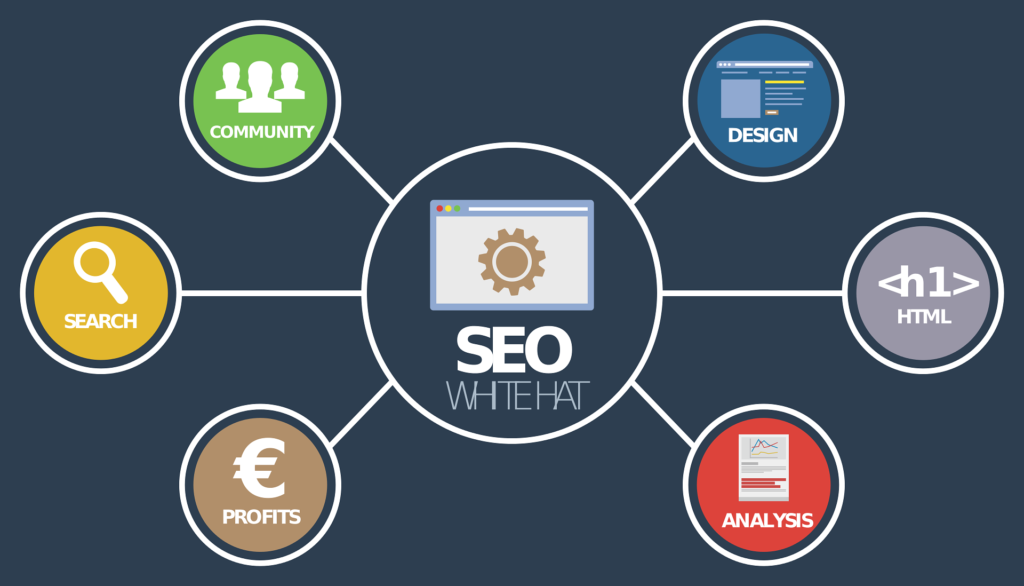 47
47 48
48 49
49 50
50 51
51 52
52 53
53 54
54 55
55 56
56 57
57 58
58 59
59 60
60 61
61