Key Insight: Choosing between Android and iOS app development is not about finding a universally “better” platform. The right choice depends on your business goals, target audience, budget, development timeline, monetization strategy, and long-term maintenance plans.
Introduction
Understanding the Platforms, Ecosystems, and Development Foundations
Mobile applications have become essential tools for businesses, governments, educational institutions, healthcare providers, financial organizations, and individuals. From banking and shopping to entertainment and healthcare, mobile apps shape how billions of people interact with digital services every day.
For businesses planning to build a mobile application, one of the first and most important decisions is selecting the platform. Should the app be developed for Android, iOS, or both?
Android and iOS dominate the global smartphone operating system market. While they serve the same purpose—powering smartphones and tablets—they differ significantly in their development environments, programming languages, user experience guidelines, hardware ecosystems, security models, app distribution processes, and revenue opportunities.
This article provides an in-depth comparison of Android and iOS app development using research, industry best practices, and official documentation to help developers, entrepreneurs, startups, and businesses make informed decisions.
The Global Mobile App Market
The mobile app industry continues to experience remarkable growth. Millions of applications are available across the Google Play Store and Apple’s App Store, serving users in nearly every country.
Android leads worldwide market share due to its availability across numerous manufacturers and price points. iOS, while representing a smaller share globally, maintains a strong presence in premium smartphone markets and often generates higher average revenue per user.
These differences influence development strategies, marketing plans, and long-term investment decisions.
Highlight Box
A successful mobile app strategy considers:
Target audience
Geographic market
Budget
Expected revenue model
Device compatibility
Long-term maintenance
What Is Android?
Android is Google’s mobile operating system built on the Linux kernel. It is open-source through the Android Open Source Project (AOSP), allowing manufacturers to customize the operating system for their devices.
Popular Android smartphone manufacturers include Samsung, Google Pixel, Xiaomi, OPPO, vivo, OnePlus, Motorola, and many others.
The Android ecosystem powers smartphones, tablets, televisions, wearables, automotive systems, and other connected devices.
Advantages of Android
Largest global smartphone market share
Wide range of device prices
Large international user base
Flexible application distribution
Strong customization capabilities
Broad hardware ecosystem
Developers benefit from Google’s comprehensive development tools, extensive documentation, and active developer community.
What Is iOS?
iOS is Apple’s proprietary mobile operating system designed exclusively for Apple hardware.
Unlike Android, iOS operates within a tightly controlled ecosystem where Apple designs both the hardware and software. This integrated approach provides consistent performance and user experience across supported devices.
The iOS ecosystem includes:
iPhone
iPad
Apple Watch
Apple TV
Vision devices (through related Apple platforms)
Apple maintains strict quality standards through its App Store review process.
Understanding Mobile App Development
Mobile app development involves designing, building, testing, deploying, and maintaining software applications for smartphones and tablets.
The development lifecycle typically includes:
Research
Planning
User experience design
User interface design
Programming
Testing
Deployment
Maintenance
Updates
Performance optimization
Regardless of platform, successful applications prioritize usability, reliability, security, accessibility, and performance.
Android Development Overview
Android applications are primarily developed using:
Kotlin (Google’s preferred language)
Java
Development is performed using Android Studio, Google’s official integrated development environment (IDE).
Developers use tools for:
Emulator testing
Device debugging
Performance profiling
Layout design
Code inspection
Package management
Android supports applications across thousands of device models with varying screen sizes, hardware capabilities, and Android versions.
This diversity creates opportunities for broad market reach while also increasing testing complexity.
iOS Development Overview
iOS applications are primarily developed using:
Swift
Objective-C (legacy applications)
Apple recommends Swift for modern application development because of its performance, safety features, and developer productivity.
The official IDE is Xcode, which includes:
Interface Builder
Swift compiler
Simulator
Debugging tools
Performance analysis
Accessibility testing
Apple’s controlled hardware environment simplifies optimization and testing compared with Android’s fragmented ecosystem.
Programming Languages Compared
Kotlin
Kotlin has become Google’s recommended language for Android development.
Advantages include:
Concise syntax
Improved safety
Reduced boilerplate code
Strong interoperability with Java
Modern language features
Java
Java remains widely used in Android development, particularly for maintaining legacy applications.
Advantages include:
Mature ecosystem
Extensive documentation
Large developer community
Enterprise adoption
Swift
Swift was created by Apple to modernize iOS development.
Advantages include:
High performance
Improved memory safety
Cleaner syntax
Strong compiler optimization
Excellent integration with Apple’s frameworks
Swift continues to evolve with regular updates from Apple.
Development Environments
Android Studio
Android Studio includes:
Intelligent code completion
Gradle build system
Layout Editor
Device Emulator
Performance Profiler
APK Analyzer
These tools support efficient Android application development and testing.
Xcode
Xcode offers:
SwiftUI support
UIKit development
Simulator
Interface Builder
Instruments performance tools
Accessibility Inspector
Xcode is designed specifically for Apple’s ecosystem.
Ecosystem Differences
One of the biggest distinctions between Android and iOS lies in their ecosystems.
Android Ecosystem
Android supports devices from numerous manufacturers, resulting in a wide variety of:
Screen sizes
Resolutions
Hardware capabilities
Price ranges
Regional markets
This flexibility allows businesses to reach diverse audiences.
Apple Ecosystem
Apple develops both hardware and software, creating a consistent experience across devices.
Benefits include:
Predictable performance
Easier optimization
Strong integration between devices
High customer satisfaction
Reliable software updates
Callout Box – Choosing a Platform
Consider these questions before selecting Android or iOS:
Who are your target users?
Which countries are you targeting?
What is your available budget?
Do you need rapid market expansion?
Will your app rely on subscriptions or advertising?
Are long-term maintenance costs a priority?
Android and iOS are both mature, powerful platforms with distinct strengths. Android offers unmatched global reach, flexibility, and hardware diversity, making it ideal for businesses targeting broad audiences across different price segments. iOS provides a highly integrated ecosystem, consistent user experience, and strong revenue potential, making it attractive for premium markets and businesses focused on high-value customers.
Understanding each platform’s ecosystem, development tools, programming languages, and user base is the first step toward making an informed development decision. The following sections will compare the platforms in greater depth, examining development costs, performance, security, design principles, monetization opportunities, testing, maintenance, and long-term business value.
Detailed Comparison: Cost, Performance, Security, Design, Monetization, and Maintenance
There is no one-size-fits-all answer. Android and iOS each excel in different areas. The best platform depends on your business objectives, user demographics, budget, and long-term product strategy.
Development Cost Comparison
One of the first questions businesses ask is, “Which platform is less expensive to develop?”
The answer depends on project complexity, feature requirements, development team experience, testing needs, and maintenance plans.
Android Development Costs
Android development often requires additional testing because applications must function across thousands of devices with different:
Screen sizes
Processors
RAM capacities
Android versions
Manufacturer customizations
This increased testing can raise development time and quality assurance costs.
However, Android’s large user base can provide significant opportunities for businesses targeting mass-market audiences.
iOS Development Costs
Apple’s smaller range of supported devices simplifies development and testing. Developers typically spend less time addressing hardware-specific issues, which can reduce quality assurance effort.
However, developers need Apple hardware (such as a Mac) to build and publish iOS applications, and enrollment in the Apple Developer Program is required for App Store distribution.
Highlight Box
While Android may require broader testing, iOS often benefits from a more predictable development environment.
User Interface (UI) and User Experience (UX)
A successful mobile application is more than functional—it must also feel intuitive and enjoyable to use.
Android Design
Google recommends following Material Design, a design system focused on accessibility, responsive layouts, meaningful motion, and consistent interaction patterns.
Material Design supports adaptable interfaces across phones, tablets, foldable devices, and larger screens.
iOS Design
Apple’s Human Interface Guidelines (HIG) emphasize clarity, consistency, simplicity, and respect for platform conventions.
Applications that follow Apple’s design guidance typically provide a familiar experience for iPhone and iPad users.
Developers should avoid simply copying an Android interface onto iOS (or vice versa), as users expect platform-specific interactions.
Performance
Performance affects user satisfaction, retention, and app store ratings.
Android Performance
Modern Android devices can deliver excellent performance, especially flagship smartphones with advanced processors and memory.
However, performance can vary considerably across devices due to differences in hardware and manufacturer optimizations.
Developers often spend additional time optimizing applications for lower-powered devices.
iOS Performance
Because Apple controls both hardware and software, iOS applications generally benefit from consistent performance across supported devices.
The limited number of hardware configurations makes optimization more straightforward.
Security
Security is a critical consideration for applications handling personal information, financial transactions, healthcare records, or enterprise data.
Android Security
Android includes multiple security features such as:
App sandboxing
Google Play Protect
Runtime permissions
Verified Boot
Regular security updates
Security quality also depends on device manufacturers providing timely operating system updates.
iOS Security
Apple emphasizes privacy and security through features including:
App sandboxing
Secure Enclave
Face ID and Touch ID integration
Strong encryption
Mandatory App Store review
Apple’s centralized ecosystem allows it to distribute software updates directly to supported devices.
Callout Box
Regardless of platform, developers should follow secure coding practices, encrypt sensitive data, validate user input, and implement strong authentication mechanisms.
App Store Approval
Publishing an application differs between Android and iOS.
Google Play
Google Play generally offers a faster publication process and greater flexibility.
Developers can update applications frequently and distribute apps through additional channels if appropriate.
Apple App Store
Apple performs a detailed review before approving applications for distribution.
The review process helps maintain quality and security but may require additional time if revisions are requested.
Monetization Opportunities
Choosing a monetization model is just as important as choosing a platform.
Common revenue strategies include:
Paid downloads
In-app purchases
Subscriptions
Advertising
Freemium models
Enterprise licensing
Research consistently shows that iOS users often spend more on apps and digital purchases, while Android provides access to a larger global audience, making it attractive for advertising-supported applications.
Development Speed
Development speed depends on team expertise, application complexity, and tooling.
Android Studio and Xcode both provide advanced development environments with features such as code completion, debugging, profiling, and simulators.
Cross-functional planning, reusable components, and automated testing can significantly reduce delivery time on either platform.
Testing Requirements
Android Testing
Developers should test applications across:
Different screen sizes
Multiple Android versions
Various manufacturers
Different hardware capabilities
Comprehensive testing helps ensure compatibility and reliability.
iOS Testing
Testing is generally more streamlined due to Apple’s limited range of supported devices.
However, developers should still verify functionality across different iPhone and iPad models and the latest iOS versions.
Maintenance and Updates
Launching an application is only the beginning.
Long-term maintenance includes:
Bug fixes
Security updates
Performance improvements
Compatibility with new operating system releases
Feature enhancements
Accessibility improvements
Businesses should budget for ongoing maintenance regardless of platform.
Highlight Box
A successful mobile app is a continuously evolving product—not a one-time project.
Which Platform Is Better for Businesses?
The answer depends on business priorities.
Android may be the better choice if you want:
Broad global reach
Greater device diversity
Access to emerging markets
Flexible distribution options
iOS may be the better choice if you want:
Premium user segments
Consistent hardware performance
Simplified testing
Strong customer spending potential
Many organizations ultimately choose to support both platforms to maximize market reach and customer engagement.
Android and iOS each offer distinct advantages. Android provides exceptional global reach and flexibility but often requires more extensive testing due to hardware diversity. iOS offers a highly consistent ecosystem, streamlined optimization, and strong monetization opportunities through its premium user base.
When evaluating development costs, performance, security, user experience, app distribution, and long-term maintenance, businesses should align platform selection with their audience, goals, and available resources rather than relying on market share alone.
Choosing the Right Platform, Real-World Use Cases, Emerging Technologies, and Best Practices
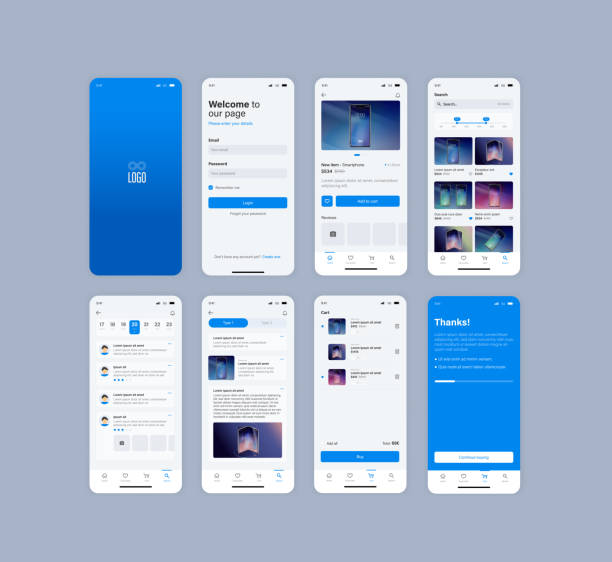
Smartphone UI app. Phone screens for shop application. Mobile interface with account login and shopping cart. Screenshots responsive website mockups.
Expert Recommendation: Rather than asking, “Which platform is better?”, ask “Which platform is better for my users and business goals?” The most successful mobile applications solve real problems, regardless of the operating system.
How to Choose Between Android and iOS
Selecting the right platform should be a strategic business decision rather than a purely technical one. Businesses should evaluate their target audience, market, budget, revenue model, and long-term growth plans.
Choose Android If:
You want to reach the largest global audience.
Your customers are spread across multiple countries and income levels.
Your business relies on advertising revenue.
Your application targets emerging markets.
Hardware flexibility is important.
Android’s wide availability across manufacturers makes it ideal for organizations seeking maximum reach.
Choose iOS If:
Your target audience primarily uses Apple devices.
You are launching premium products or services.
Subscription revenue is a major business model.
You prioritize consistent user experience.
You need simplified device testing.
Many businesses targeting North America, Western Europe, Australia, and Japan often begin with iOS because of strong customer engagement and spending patterns.
When Should You Develop for Both Platforms?
Developing for both Android and iOS is often the best long-term strategy when:
Building an e-commerce platform
Creating a banking application
Launching a healthcare service
Developing an education platform
Building a transportation or delivery service
Offering social networking features
Supporting both platforms ensures broader accessibility and helps maintain a consistent brand presence.
Highlight Box
Businesses with sufficient resources often launch on both platforms simultaneously or release one platform first and expand after validating market demand.
Native vs Cross-Platform Development
One of the biggest strategic decisions is whether to build native applications or use cross-platform technologies.
Native Development
Native apps are built specifically for each operating system.
Android
Kotlin
Java
iOS
Swift
Objective-C
Advantages
Excellent performance
Better hardware integration
Faster access to new platform features
Superior user experience
Platform-specific optimization
Disadvantages
Separate development teams
Higher development costs
Longer project timelines
Cross-Platform Development
Cross-platform frameworks allow developers to share much of the same codebase across Android and iOS.
Popular frameworks include:
Flutter
React Native
.NET MAUI
Advantages
Faster development
Lower overall costs
Shared codebase
Easier maintenance
Faster updates
Limitations
Some platform-specific features may require native code.
Performance may vary depending on application complexity.
Real-World Business Examples
E-Commerce
Online stores generally benefit from launching on both Android and iOS to maximize customer reach and sales opportunities.
Healthcare
Healthcare providers prioritize strong security, privacy compliance, and reliable performance. Native development is often preferred for applications involving sensitive patient data.
Banking
Financial institutions frequently build native applications for enhanced security, biometric authentication, and optimized performance.
Education
Educational platforms often target both ecosystems because students and educators use a wide variety of devices.
Small Businesses
Businesses with limited budgets may begin with a single platform based on customer demographics before expanding.
Common Mistakes to Avoid
Many projects fail not because of the platform, but because of poor planning.
Avoid these common mistakes:
Choosing a platform without researching your audience.
Ignoring accessibility requirements.
Skipping user testing.
Underestimating maintenance costs.
Neglecting app store guidelines.
Failing to optimize performance.
Ignoring security best practices.
Delaying updates after operating system releases.
Launching an app is only the beginning. Continuous improvement based on user feedback is essential for long-term success.
Emerging Technologies Shaping Mobile Development
Mobile app development continues to evolve rapidly.
Key trends include:
Artificial Intelligence (AI)
AI enhances applications through:
Personalized recommendations
Intelligent search
Voice assistants
Predictive analytics
Customer support chatbots
Image recognition
Machine Learning
Machine learning enables applications to improve over time using data while supporting features such as fraud detection and personalized experiences.
Augmented Reality (AR)
Retail, education, healthcare, gaming, and manufacturing increasingly use AR to create immersive user experiences.
Internet of Things (IoT)
Mobile applications are becoming central control hubs for smart homes, connected vehicles, industrial systems, and wearable devices.
5G Connectivity
Faster network speeds reduce latency and support richer experiences, including cloud gaming, video streaming, and real-time collaboration.
Best Practices for Successful Mobile App Development
Successful teams consistently follow these principles:
Understand user needs before writing code.
Design simple, intuitive interfaces.
Prioritize accessibility.
Protect user privacy and data.
Optimize application performance.
Test across supported devices and operating systems.
Monitor crashes and performance after launch.
Release regular updates and improvements.
Follow official platform design guidelines.
Gather and act on user feedback.
Expert Perspective
Technology alone does not determine an application’s success. Products that solve genuine user problems, deliver consistent performance, and evolve based on customer feedback are more likely to achieve long-term growth.
Businesses should view mobile app development as an ongoing investment rather than a one-time project. Continuous innovation, security updates, and user-centered design are critical for remaining competitive.
Android and iOS each provide powerful opportunities for developers and businesses. Android excels in global reach, flexibility, and device diversity, while iOS offers a highly optimized ecosystem, consistent user experiences, and strong revenue potential in premium markets.
The right choice depends on your audience, business objectives, and available resources. In many cases, supporting both platforms provides the best balance between market reach and customer satisfaction.
Future Trends, Final Verdict, Frequently Asked Questions, Conclusion, Disclaimer, and References
Final Takeaway: There is no universal winner in the Android vs. iOS debate. The best platform is the one that aligns with your users’ needs, business goals, budget, and long-term product strategy.
The Future of Mobile App Development
The mobile application industry continues to evolve rapidly. Emerging technologies are transforming how developers build apps and how users interact with them.
Artificial Intelligence (AI)
Artificial Intelligence is becoming a standard feature in modern mobile applications. AI enables:
Personalized recommendations
Smart virtual assistants
Image and speech recognition
Fraud detection
Customer support chatbots
Predictive analytics
Both Android and iOS provide machine learning frameworks that help developers integrate intelligent features into their applications.
Augmented Reality (AR) and Virtual Reality (VR)
AR and VR technologies are changing industries such as retail, healthcare, education, architecture, and gaming.
Examples include:
Virtual product demonstrations
Indoor navigation
Medical training
Interactive learning
Real estate visualization
Apple provides ARKit, while Google supports AR development through ARCore.
Internet of Things (IoT)
Mobile applications increasingly serve as control centers for connected devices, including:
Smart homes
Smart watches
Connected vehicles
Industrial equipment
Healthcare devices
Both Android and iOS offer robust tools for building secure IoT-enabled applications.
Cloud Integration
Cloud computing enables mobile applications to provide:
Secure data synchronization
Automatic backups
Real-time collaboration
Scalable storage
Cross-device access
Cloud services continue to be an essential component of modern mobile applications.
Foldable Devices and Large Screens
Android has expanded support for foldable phones and tablets, while Apple continues improving experiences across iPhone and iPad devices.
Developers are increasingly designing adaptive layouts that work seamlessly on multiple screen sizes.
Highlight Box
Future-ready applications should prioritize flexibility, accessibility, performance, and scalability to meet evolving user expectations.
Final Comparison Table
Feature
Android
iOS
Global Market Reach
Excellent
Strong
Device Variety
Very High
Limited
Hardware Consistency
Moderate
Excellent
Development Languages
Kotlin, Java
Swift, Objective-C
Development Tool
Android Studio
Xcode
App Store Review
Flexible
Strict
User Spending
Moderate
High
Testing Complexity
Higher
Lower
Customization
Extensive
Limited
Security
Strong
Very Strong
Business Flexibility
Excellent
Excellent
Frequently Asked Questions (FAQ)
Which platform is easier for beginners?
Many developers find iOS development easier to learn because of Apple’s consistent hardware ecosystem. However, Android offers extensive documentation and a large developer community, making it equally approachable with dedication.
Which platform generates more revenue?
Studies have shown that iOS users often spend more on apps, subscriptions, and in-app purchases. Android, however, reaches a larger global audience, making it attractive for advertising-based business models.
Should startups launch on one platform first?
Yes. Many startups begin with the platform that best matches their target audience and available budget, then expand after validating their product.
Is cross-platform development a good option?
Cross-platform frameworks such as Flutter and React Native can reduce development costs and speed up delivery while supporting both Android and iOS from a shared codebase.
How important are regular updates?
Regular updates are essential. They improve security, compatibility with new operating system versions, performance, and user satisfaction.
Conclusion
Android and iOS are both exceptional mobile platforms that continue to shape the future of digital innovation. Android’s openness, device diversity, and global reach make it an excellent choice for organizations seeking broad accessibility. iOS offers a highly optimized ecosystem, consistent performance, and strong engagement among premium users.
Rather than asking which platform is universally better, businesses should evaluate their objectives, audience, resources, and long-term vision. In many cases, supporting both platforms provides the greatest opportunity for growth and customer satisfaction.
Ultimately, successful mobile applications are built on thoughtful planning, user-centered design, secure development practices, continuous improvement, and a commitment to delivering real value.
Key Takeaway
The platform is only one part of the equation. Long-term success depends on solving real user problems, maintaining high quality, and continuously adapting to technological advancements and user feedback.
Disclaimer
This article is intended for educational and informational purposes only. Technology platforms, development tools, operating system features, pricing, and policies evolve over time. Readers should consult the official documentation and developer resources for the most current information before making technical or business decisions.

 1
1 2
2 3
3 4
4 5
5 6
6 7
7 8
8 9
9 10
10 11
11 12
12 13
13 14
14 15
15 16
16 17
17 18
18 19
19 20
20 21
21 22
22 23
23 24
24 25
25 26
26 27
27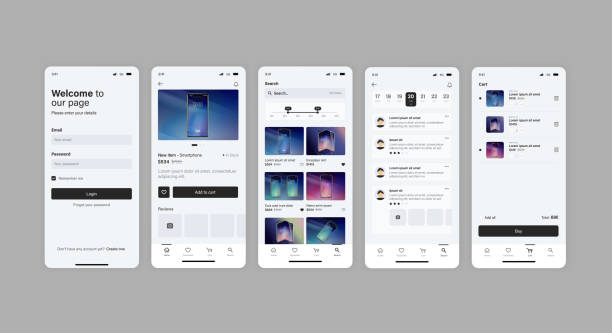 28
28 29
29 30
30 31
31 32
32 33
33 34
34 35
35 36
36 37
37 38
38 39
39 40
40 41
41 42
42 43
43 44
44 45
45 46
46 47
47 48
48 49
49 50
50 51
51 52
52 53
53 54
54 55
55 56
56 57
57 58
58 59
59 60
60 61
61