 111
111 2
2 3
3 4
4 5
5 6
6 7
7 8
8 9
9 10
10 11
11 12
12 13
13 14
14 15
15 16
16 17
17 18
18 19
19 20
20 21
21 22
22 23
23 24
24 25
25 26
26 27
27 28
28 29
29 30
30 31
31 32
32 33
33 34
34 35
35 36
36 37
37 38
38 39
39 40
40 41
41 42
42 43
43 44
44 45
45 46
46 47
47 48
48 49
49 50
50 51
51 52
52 53
53 54
54 55
55 56
56 57
57 58
58 59
59 60
60 61
61
Author: Research-Based Editorial Guide
Last Updated: July 2026
Choosing the right mobile app framework is one of the most important decisions in software development. The framework you select influences development speed, maintenance costs, user experience, application performance, security, scalability, and long-term success. In 2026, developers have more powerful choices than ever before, driven by AI-assisted coding, cross-platform innovation, and cloud-native technologies.
Industry Trends, and Framework Evaluation Criteria
Mobile applications have become the foundation of digital business. From banking and healthcare to e-commerce, education, entertainment, logistics, and government services, nearly every organization now depends on high-quality mobile applications to engage users and deliver services.
The mobile ecosystem continues to evolve rapidly. Artificial intelligence is becoming deeply integrated into mobile experiences, foldable devices are changing interface design, wearable technology is expanding the mobile ecosystem, and cloud computing enables apps to perform tasks once limited to desktop systems.
As businesses face increasing competition, choosing the right development framework has become a strategic decision rather than simply a technical one.
In 2026, developers can choose from mature cross-platform frameworks, powerful native technologies, and emerging multiplatform solutions. Each offers unique strengths depending on project requirements, budget, timeline, and long-term maintenance goals.
This guide examines today’s leading frameworks using real-world development criteria and official documentation from their creators.
A mobile framework affects almost every stage of application development.
It influences:
Selecting the wrong framework can increase costs, delay product launches, and create maintenance challenges. Selecting the right one helps teams build faster, reduce technical debt, and deliver better user experiences.
Cross-platform frameworks allow developers to write one codebase for multiple operating systems such as Android and iOS.
Benefits include:
Native development involves writing separate applications using platform-specific languages and tools.
Benefits include:
Modern cross-platform frameworks have narrowed the performance gap significantly, making them practical for most commercial applications.
Artificial intelligence now assists developers by generating code, detecting bugs, improving documentation, suggesting optimizations, and accelerating testing workflows.
Frameworks increasingly integrate AI-powered development tools that improve productivity without replacing developer expertise.
Many organizations now prefer maintaining one codebase across Android, iOS, desktop, and web where appropriate. This approach reduces engineering costs while accelerating feature delivery.
Applications increasingly rely on cloud-hosted APIs, serverless architectures, real-time databases, authentication services, and scalable backend platforms.
Framework compatibility with cloud ecosystems is now a critical evaluation factor.
Mobile applications process sensitive personal and financial information. Frameworks that support secure coding practices, encrypted storage, secure networking, and regular security updates are preferred by enterprises.
Developers expect fast hot reload, excellent debugging tools, package ecosystems, testing support, and strong documentation.
Developer productivity has become a competitive advantage.
Rather than ranking frameworks solely by popularity, this guide evaluates them using practical criteria that matter in real software projects.
How efficiently does the framework execute code?
Can it support:
Modern users expect:
Frameworks that deliver excellent user experiences rank higher.
Important considerations include:
Developer productivity directly impacts project costs.
Healthy communities provide:
A strong ecosystem reduces development risks.
Large organizations require:
Framework maturity matters when applications are expected to remain operational for many years.
An excellent framework offers thousands of reusable packages covering:
Rich ecosystems reduce development time.
The best frameworks share several important qualities:
No single framework is perfect for every project. The ideal choice depends on your product goals, team expertise, performance requirements, and budget.
In the next sections, we will examine the leading mobile app development frameworks of 2026, including:
Each framework will be analyzed based on architecture, performance, developer experience, strengths, weaknesses, ideal use cases, and long-term viability.

Flutter, developed by Google, remains one of the most influential mobile development frameworks in 2026. Since its first stable release, Flutter has matured into a comprehensive ecosystem capable of building applications for Android, iOS, web, Windows, macOS, and Linux from a single codebase.
Flutter uses the Dart programming language and its own high-performance rendering engine to draw every pixel on the screen, giving developers precise control over UI design and animation.
Why Flutter Stands Out
Flutter is especially popular for teams that prioritize consistent design across platforms, rapid development with Hot Reload, and high-performance user interfaces.
Flutter is ideal for:
React Native, maintained by Meta and the open-source community, continues to be one of the most widely adopted frameworks for cross-platform mobile development.
Built on JavaScript and React, React Native enables developers to reuse existing web development skills while creating native mobile interfaces.
React Native works particularly well for:
Highlight
Organizations often choose React Native when they already have experienced React web developers, allowing teams to share knowledge and accelerate development.
Kotlin Multiplatform (KMP), developed by JetBrains, has become a powerful option for sharing business logic across Android, iOS, desktop, and server applications while still building native user interfaces.
Unlike traditional cross-platform frameworks, KMP focuses on code sharing rather than rendering the entire interface.
Kotlin Multiplatform is particularly suitable for:
.NET Multi-platform App UI (.NET MAUI) is Microsoft’s modern framework for creating native applications across Android, iOS, Windows, and macOS using C# and .NET.
Organizations invested in the Microsoft ecosystem often find .NET MAUI an attractive choice because it integrates well with Azure, Visual Studio, and enterprise infrastructure.
| Framework | Language | Performance | Learning Curve | Best For |
|---|---|---|---|---|
| Flutter | Dart | Excellent | Moderate | Cross-platform apps with rich UI |
| React Native | JavaScript | Very Good | Easy | Teams using React |
| Kotlin Multiplatform | Kotlin | Excellent | Moderate | Shared business logic with native UI |
| .NET MAUI | C# | Very Good | Moderate | Microsoft enterprise ecosystems |
Choosing the Right Framework
There is no universal “best” framework. The right choice depends on your team’s expertise, target platforms, performance needs, maintenance strategy, and long-term business goals.

Ionic has evolved into one of the most mature hybrid application development frameworks. Built on standard web technologies such as HTML, CSS, and JavaScript, it enables developers to create cross-platform mobile, web, and desktop applications from a shared codebase.
Its seamless integration with Angular, React, and Vue makes it a popular choice for teams with strong web development experience.
When Ionic Is the Right Choice
Ionic is an excellent option for organizations that already have experienced web developers and need to deliver mobile applications quickly while keeping development costs under control.
NativeScript enables developers to build truly native Android and iOS applications using JavaScript or TypeScript while accessing native platform APIs directly.
Unlike many hybrid approaches, NativeScript renders native UI components instead of web views, delivering a more authentic user experience.
Highlight
NativeScript is well suited to developers who want JavaScript productivity without sacrificing native UI rendering.
Native Android development remains the preferred choice for applications requiring maximum performance and full access to Android platform capabilities.
Google recommends Kotlin as the primary language for modern Android development.
If your application depends heavily on hardware features such as Bluetooth, NFC, camera processing, sensors, or machine learning acceleration, native Android development remains the gold standard.
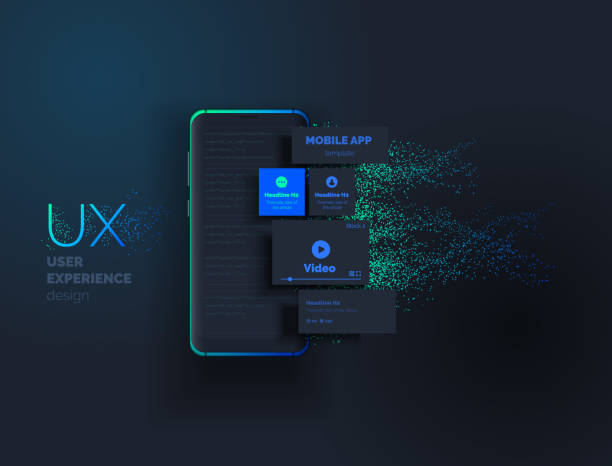
Native iOS applications are built using Swift and Apple’s official development environment, Xcode.
Native development ensures complete compatibility with the latest iPhone, iPad, Apple Watch, and Vision Pro technologies.
| Framework | Performance | UI Quality | Development Speed | Community |
|---|---|---|---|---|
| Flutter | Excellent | Excellent | Excellent | Very Large |
| React Native | Very Good | Very Good | Excellent | Very Large |
| Kotlin Multiplatform | Excellent | Native | Good | Growing |
| .NET MAUI | Very Good | Native | Good | Large |
| Ionic | Good | Good | Excellent | Large |
| NativeScript | Very Good | Native | Good | Medium |
| Native Android | Outstanding | Native | Moderate | Excellent |
| Native iOS | Outstanding | Native | Moderate | Excellent |
Developer Insight
Many successful organizations adopt a hybrid strategy: they use cross-platform frameworks for most customer-facing applications while choosing native development for high-performance or hardware-intensive products.

Mobile app development continues to evolve rapidly. In 2026, developers are expected to build applications that are not only fast and secure but also intelligent, accessible, and adaptable to new devices and user expectations.
AI is increasingly embedded into mobile applications through features such as:
AI Opportunity
Modern frameworks such as Flutter, React Native, Kotlin Multiplatform, and .NET MAUI can integrate with cloud AI services and on-device machine learning, enabling developers to deliver smarter user experiences.
As foldable smartphones and larger-screen devices become more common, developers must design interfaces that adapt seamlessly to different screen sizes and orientations.
Responsive layouts, flexible navigation, and adaptive UI components are now essential considerations.
Users expect applications to protect their personal information. Developers should prioritize:
Security Reminder
A secure application depends not only on the framework but also on secure coding practices, regular testing, and timely updates.
Before starting a project, evaluate:
Selecting a framework based solely on popularity can lead to unnecessary technical debt. Instead, align your choice with your business goals and technical requirements.
There is no single best framework for every project. Flutter, React Native, Kotlin Multiplatform, and .NET MAUI all excel in different scenarios.
Yes. Native Android and iOS development remain the preferred choices for applications that require maximum performance, hardware integration, or platform-specific features.
Flutter provides highly consistent UI rendering and strong performance, while React Native offers a familiar JavaScript ecosystem and broad community support. The better choice depends on your team’s skills and project needs.
Yes. Frameworks such as Flutter, React Native, Ionic, .NET MAUI, and NativeScript allow developers to share much of their code across platforms.
| Scenario | Recommended Framework |
|---|---|
| Startup MVP | Flutter |
| Enterprise Business App | .NET MAUI or Kotlin Multiplatform |
| Existing React Team | React Native |
| High-Performance Android App | Native Android (Kotlin) |
| Premium Apple Ecosystem App | Native iOS (Swift) |
| Web Developer Transition | Ionic |
| Shared Business Logic with Native UI | Kotlin Multiplatform |
Final Recommendation
For many organizations building cross-platform applications in 2026, Flutter offers an excellent balance of performance, developer productivity, UI flexibility, and ecosystem maturity. However, the most suitable framework is always the one that aligns with your technical requirements, business objectives, and team’s expertise.
The mobile app development landscape in 2026 provides developers with a diverse set of mature and capable frameworks. Cross-platform technologies have significantly reduced development costs while delivering experiences that closely match native performance for many applications.
Flutter continues to stand out for its rich UI capabilities and productivity. React Native remains a leading choice for JavaScript teams. Kotlin Multiplatform offers an elegant approach to sharing business logic while preserving native interfaces. .NET MAUI serves enterprises invested in Microsoft’s ecosystem, while Ionic and NativeScript provide valuable alternatives for web-focused development.
No framework is universally superior. Successful projects result from thoughtful planning, skilled implementation, and continuous maintenance rather than framework selection alone.
Key Takeaway
The best mobile framework is the one that enables your team to build secure, maintainable, high-quality applications that meet user needs today and can evolve with tomorrow’s technology.
This article is intended for educational and informational purposes. Framework features, supported platforms, and capabilities may change over time as new versions are released. Always consult the official documentation and release notes before making technical or business decisions based on a specific framework.