
 111
111 2
2 3
3 4
4 5
5 6
6 7
7 8
8 9
9 10
10 11
11 12
12 13
13 14
14 15
15 16
16 17
17 18
18 19
19 20
20 21
21 22
22 23
23 24
24 25
25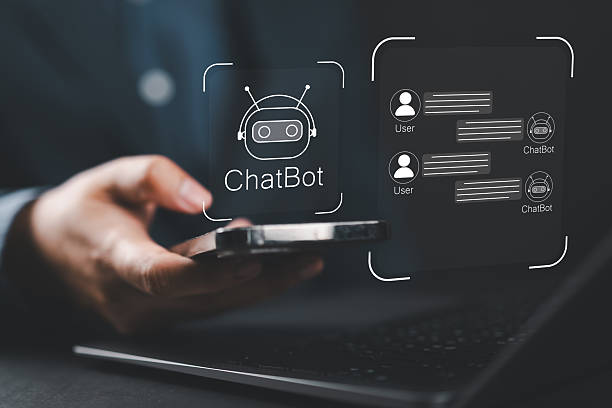 26
26 27
27 28
28 29
29 30
30 31
31 32
32 33
33 34
34 35
35 36
36 37
37 38
38 39
39 40
40 41
41 42
42 43
43 44
44 45
45 46
46 47
47 48
48 49
49 50
50 51
51 52
52 53
53 54
54 55
55 56
56 57
57 58
58 59
59 60
60 61
61Published by AllBigPress | Technology & Artificial Intelligence
For most of the history of computing, humans have been expected to communicate in the language of machines.
We clicked buttons. We typed commands. We navigated menus. We learned application interfaces. We memorized keyboard shortcuts. We adapted ourselves to technology.
Speech recognition changes that relationship.
Instead of requiring people to translate their intentions into buttons, menus, keywords, and typed commands, speech recognition allows technology to begin with one of the most natural forms of human communication: spoken language.
A person can say, “Find me the cheapest flight to Lagos next Friday,” rather than opening several websites, entering multiple fields, selecting dates, and manually comparing results.
A customer can say, “I was charged twice for the same order,” rather than navigating a complicated support menu.
A driver can ask for directions without taking their eyes away from the road.
A student can dictate an essay instead of typing every sentence.
A person with limited mobility can control software through voice.
A conversational AI system can listen to a question, convert the spoken words into machine-readable text, interpret the meaning, generate an answer, and potentially speak that answer back.
This is why speech recognition is far more important than simply “voice typing.”
It is becoming an interface between human language and intelligent software.
Modern conversational technology depends on several interconnected capabilities. Speech recognition handles the transition from sound to language. Natural language processing and language models interpret that language. Dialogue systems determine what should happen next. External tools retrieve information or perform actions. Text-to-speech can then convert the system’s response back into spoken language.
The result is a conversational loop:
Human speech → audio processing → speech recognition → language understanding → reasoning/action → response generation → speech synthesis → human
The quality of that loop determines whether a voice interaction feels natural or frustrating.
A system that understands every word but misunderstands the user’s intention is not truly conversational.
A system that understands intent but responds too slowly feels unnatural.
A system that answers intelligently but cannot handle accents, background noise, interruptions, or conversational context will disappoint many users.
The future of conversational technology therefore depends not on speech recognition alone, but on how effectively speech recognition connects with the rest of the intelligent system.
This article explores that relationship in depth.
It examines what speech recognition is, how automatic speech recognition works, how it fits into conversational AI, why accents and noisy environments remain challenging, how real-time voice agents are changing interaction design, what businesses should consider before deploying voice systems, how privacy affects speech technology, why low-resource languages matter, and where the technology may go next.
For readers following broader developments in artificial intelligence, AllBigPress also covers the wider transformation of technology and digital business through resources such as AllBigPress Technology & AI coverage.
Speech recognition is the technology used to convert spoken language into a representation that a computer can process.
In its most familiar form, that representation is text.
When someone speaks into a microphone and the words appear on a screen, speech recognition is responsible for much of that transformation.
The technical term commonly used for this capability is automatic speech recognition, or ASR.
ASR systems receive an audio signal containing human speech and attempt to determine what was said.
A simplified example looks like this:
Audio: “Send a message to Sarah.”
ASR output:
“Send a message to Sarah.”
That may look simple to a user, but the computer has had to solve several difficult problems.
It must distinguish speech from silence.
It must handle the acoustic characteristics of the speaker.
It must interpret pronunciation.
It must determine where one word ends and another begins.
It must choose between words that sound similar.
It must use context to determine which interpretation is more likely.
And it must perform all of this quickly enough for the interaction to feel natural.
Modern speech recognition can be used for dictation, transcription, captions, search, voice commands, call-center systems, conversational assistants, accessibility tools, meeting transcription, and interactive voice applications.
The World Wide Web Consortium’s current Web Speech API specification describes speech recognition as a browser capability that can support applications ranging from voice search and commands to continuous dialogue, speech translation, multimodal interaction, and dialog systems.
That range is important.
Speech recognition is not a single product category.
It is an enabling technology.
Speech recognition and voice recognition are related but fundamentally different.
Speech recognition asks:
What did the person say?
Voice recognition can ask:
Who is speaking?
For example, suppose three people say:
“Open my account.”
Speech recognition attempts to transcribe the sentence.
Voice recognition may attempt to identify which person spoke.
These technologies can be combined, but they solve different problems.
Speech recognition is primarily concerned with linguistic content.
Voice identification or speaker recognition is concerned with speaker characteristics.
This distinction matters in conversational technology because a voice assistant may need both.
Consider a family sharing a smart device.
The system might need to understand:
“Show me my calendar.”
But it may also need to determine which person’s calendar should be shown.
Similarly, a financial application might use speaker authentication as one layer of identity verification while separately using ASR to understand the user’s request.
Developers should therefore avoid treating “voice” as a single technology.
A sophisticated voice application may involve:
The more capabilities that are combined, the more important system architecture becomes.
Another important distinction is between recognizing words and understanding meaning.
Imagine someone says:
“Can you get me something cheap for tomorrow?”
Speech recognition might successfully produce that exact sentence.
But what does “something” mean?
What does “cheap” mean?
Where does the person want to go?
What kind of transportation are they talking about?
What does “tomorrow” refer to?
The ASR system has done its job if it accurately transcribed the words.
The conversational system still has work to do.
This is where natural language understanding, or NLU, becomes important.
Speech recognition answers:
What was spoken?
NLU attempts to answer:
What does the person mean?
A conversational AI system may then ask:
“Where would you like to travel tomorrow?”
That question is not produced by speech recognition.
It is produced by the conversational intelligence layer.
This distinction explains why improving ASR accuracy alone does not automatically create better conversational experiences.
A system can have excellent transcription and poor conversation design.
Conversely, a system with imperfect transcription may sometimes infer the user’s intention correctly because the conversational context makes the meaning obvious.
The strongest systems therefore optimize the complete interaction rather than treating transcription accuracy as the only objective.
Conversational technology allows humans to interact with computers through natural language.
That language can be typed or spoken.
When speech is involved, speech recognition becomes the front door of the conversation.
A typical architecture may look like this:
Microphone
Audio preprocessing
Voice activity detection
Automatic speech recognition
Text normalization
Natural language understanding / language model
Dialogue manager
Knowledge retrieval / tools / APIs
Response generation
Text-to-speech
Speaker
This architecture creates a conversational loop.
The user speaks.
The system listens.
The system interprets.
The system thinks or retrieves information.
The system responds.
The user speaks again.
The loop continues.
The goal is not simply to create a system that can hear words.
The goal is to create a system that can participate in an interaction.
That distinction is central.
The exact architecture varies between systems, but the general process can be understood as a sequence of transformations.
A microphone converts sound waves into an electrical or digital signal.
The system receives a stream of samples representing changes in air pressure over time.
The system may perform operations that improve the quality of the incoming audio.
These can include:
A voice activity detector may determine whether the person is actually speaking.
This prevents the recognition engine from treating long periods of silence as meaningful input.
The system examines characteristics of the speech signal.
These characteristics help neural models estimate what sounds or linguistic units are present.
The system considers possible word sequences.
If the audio could correspond to several interpretations, linguistic context helps determine which interpretation is more probable.
The recognition engine outputs text or another structured representation.
The conversational system can now use the recognized content for:
Modern ASR systems may combine many of these stages within neural architectures rather than implementing them as completely independent components.
Before speech becomes language, it exists as sound.
That fact is easy to overlook.
Humans perceive speech as meaningful language, but computers initially receive patterns of acoustic energy.
The microphone does not inherently understand words.
It captures a physical signal.
That signal can be affected by:
Consequently, speech recognition begins with an imperfect measurement of the speaker’s voice.
This explains why the same sentence can be recognized differently in different environments.
A person speaking directly into a high-quality microphone in a quiet room provides a much easier signal than someone speaking from across a noisy restaurant.
The conversational system therefore depends partly on the quality of the audio pipeline.
Voice activity detection, commonly abbreviated VAD, attempts to determine when speech is present.
This sounds simple.
It is not.
A practical conversational system must distinguish speech from silence and other sounds.
Imagine a user says:
“What’s the weather…”
pauses for two seconds, and continues:
“…in Abuja tomorrow?”
If the system treats the pause as the end of the interaction, it may respond too early.
If it waits too long, the system feels slow.
This creates a fundamental design challenge:
When has the user finished speaking?
VAD therefore interacts directly with conversational experience.
A good system needs to recognize meaningful speech boundaries without making the user feel rushed.
This becomes even more complicated when users think aloud, hesitate, restart sentences, or pause naturally.
Human conversation contains silence.
Machines need to learn how to interpret that silence.
Traditional speech recognition systems often separated the problem into acoustic modeling, pronunciation modeling, and language modeling.
Modern neural systems can combine many of these responsibilities, but the conceptual distinction remains useful.
Acoustic information provides evidence about what sounds were spoken.
For example, different speech sounds produce different patterns in the audio signal.
The recognition model transforms these patterns into probabilities over possible linguistic units.
Those units may be:
The model then combines acoustic evidence with linguistic context.
Suppose the audio sounds like:
“I want to book a…”
Several continuations may be possible.
The system can use context to determine whether the speaker is likely to say:
The more context the system has, the more intelligently it can constrain possible interpretations.
Language is highly predictable.
If someone says:
“Please turn on the…”
possible continuations include:
“light”
“TV”
“fan”
depending on context.
A language model helps estimate which sequences are plausible.
This becomes particularly valuable when the acoustic signal is ambiguous.
Speech recognition therefore involves a partnership between sound and language.
The system is not merely asking:
“What sounds do I hear?”
It is also asking:
“What sequence of words best explains these sounds in this context?”
That principle has existed across generations of speech recognition technology, even though the underlying implementations have changed dramatically.
Earlier generations of ASR relied heavily on carefully engineered pipelines involving statistical models and pronunciation dictionaries.
These systems achieved impressive results for their time, but they required substantial engineering effort.
Modern speech recognition increasingly relies on neural networks trained on large quantities of speech and text data.
Deep learning has transformed the field by enabling models to learn complex relationships between audio and language.
Neural models can capture patterns that would be difficult to represent manually.
They can learn from:
This does not mean modern ASR is perfect.
It means the system has become significantly more adaptable.
The field continues to evolve toward models capable of handling increasingly natural and complicated speech.
One major development in modern ASR is the movement toward end-to-end neural architectures.
Traditional systems may require several separately designed components.
An end-to-end model can learn a direct mapping from speech input to a textual or linguistic output.
The advantage is conceptual simplicity.
Instead of manually designing every intermediate representation, developers can train a sufficiently capable neural model to learn useful representations from data.
This can improve adaptability and reduce some forms of system complexity.
However, end-to-end systems introduce their own challenges.
They can require substantial training data and computational resources.
They may also be difficult to debug because the internal representations are learned rather than explicitly designed.
For production conversational systems, the best architecture is not necessarily the one with the newest model.
It is the one that meets the application’s requirements for:
Transformer-based architectures have become highly influential across artificial intelligence.
Their ability to model relationships across sequences makes them useful for language and increasingly for speech.
Speech can be represented as a sequence of acoustic information.
Language can be represented as a sequence of tokens.
A transformer-based architecture can learn relationships across these sequences.
This is especially valuable for conversational systems because conversation is not simply a collection of isolated sentences.
Meaning can depend on earlier turns.
For example:
User:
“Who is the president of that country?”
Assistant:
“Which country do you mean?”
User:
“The one we were discussing earlier.”
The last sentence cannot be interpreted correctly without context.
Speech recognition provides the words.
The broader conversational architecture provides the context.
This is one reason modern voice systems increasingly combine speech models with large language models.
Traditional transcription can process an entire recording after the user finishes speaking.
Conversational systems often cannot wait.
If someone asks a voice assistant a question, the user expects the system to begin processing while the person is still speaking or immediately after the utterance ends.
This is called streaming speech recognition.
Instead of:
record → wait → transcribe
the system can operate more like:
listen → process → update → process → finalize
Streaming recognition makes voice interactions feel much more responsive.
The W3C Web Speech API specification distinguishes between interim results and final results, reflecting the importance of recognizing speech progressively rather than waiting for a single final transcription.
This capability is particularly useful for:
A conversational application may receive a preliminary transcription such as:
“Book a table at…”
Then later refine it to:
“Book a table at the Italian restaurant downtown.”
The early result is provisional.
The later result is final.
This distinction is important for user experience.
A voice interface can display the emerging transcription while the person speaks.
However, developers must avoid acting too aggressively on incomplete results.
Imagine the user says:
“Delete the…”
and then continues:
“…draft.”
If the application immediately interprets the interim result as an instruction, it could perform the wrong action.
Safety-critical or irreversible actions should therefore generally require stronger confirmation than ordinary conversational responses.
People rarely speak like textbooks.
Natural conversation includes:
A user may say:
“Uh, can you—actually, wait—send that to James, not John.”
A simple command parser might struggle.
A conversational system should understand that the speaker changed the intended recipient.
This is one reason voice interaction is more complicated than converting clean audio into text.
The real environment of human conversation is messy.
Accent variation is one of the most important challenges in speech recognition.
People may pronounce the same word differently depending on:
A system trained primarily on one variety of English may perform differently for speakers from another region.
This is not merely a technical inconvenience.
Poor recognition can create unequal access to technology.
A voice system that works beautifully for one population but regularly misunderstands another has an accessibility and fairness problem.
Developers should therefore evaluate ASR performance across diverse populations rather than relying only on aggregate accuracy.
Accent-aware evaluation is particularly important when voice technology is used for:
Real-world audio rarely occurs in perfect conditions.
Users speak:
Noise can distort the acoustic signal and make recognition harder.
Modern systems use techniques such as noise suppression, beamforming, echo cancellation, and neural enhancement.
But engineering cannot eliminate every problem.
Sometimes the correct response is not to pretend the system understood.
It is to ask for clarification.
For example:
“I didn’t catch the destination. Did you say Abuja or Ibadan?”
A transparent clarification can be far better than confidently taking the wrong action.
Human conversation frequently involves multiple people speaking at once.
Consider a customer-service call.
The customer speaks.
The agent responds.
Someone in the background interrupts.
Another person speaks.
A traditional single-speaker transcription pipeline may struggle to distinguish the participants.
Modern conversational systems increasingly require speaker diarization—the process of determining who spoke when.
This can be valuable for:
The combination of ASR and speaker diarization creates a richer representation:
Speaker A: “Can you send the report?”
Speaker B: “Yes, I’ll send it this afternoon.”
That information can then be used by downstream AI systems.
Written language is often cleaner than spoken language.
People say:
“Um…”
“You know…”
“Like…”
“Actually…”
“I mean…”
They may repeat themselves.
They may begin one sentence and change direction.
They may correct a word halfway through speaking.
A strong conversational system should understand that these behaviors are normal.
It should not treat every hesitation as an error.
For transcription applications, the desired output may preserve these details.
For conversational assistants, however, it may be better to normalize them.
For example:
Spoken:
“Um, can you, uh, find me—actually, book me a hotel in Lagos?”
Normalized intent:
Book a hotel in Lagos.
This illustrates an important principle:
The best representation for a conversational system is not always a literal transcript.
Sometimes the system needs a semantic representation of what the person intended.
Speech recognition can perform well on common vocabulary while struggling with unusual terms.
Consider:
A system might recognize:
“CircleWorld”
as:
“Circle World”
or another similar phrase.
Contextual biasing can help recognition systems favor vocabulary relevant to the current application or conversation.
The W3C’s current Web Speech API draft includes contextual phrase information and recognition quality concepts, illustrating the direction of browser speech technology toward more context-aware recognition.
For specialized applications, vocabulary customization can be extremely valuable.
One of the biggest challenges in global speech technology is unequal language coverage.
Some languages have enormous amounts of digital speech and text data.
Others have relatively little.
Training data matters because machine learning models learn statistical patterns from examples.
If a language has limited high-quality datasets, developing a strong speech recognizer becomes more difficult.
NIST’s OpenASR20 challenge highlighted the difficulty of conversational telephone speech recognition in low-resource languages, with substantial word error rates under constrained training conditions.
This issue has global significance.
Language technology should not become a system that works only for people speaking the most commercially important languages.
For African markets, South Asian markets, Indigenous communities, and multilingual populations worldwide, broader language coverage can determine whether voice technology is genuinely inclusive.
Many people naturally switch languages during conversation.
A speaker might begin in English and insert words from another language.
Another person might mix multiple languages throughout a sentence.
This behavior is common in multilingual communities.
Traditional language identification systems may struggle when the language changes rapidly.
Conversational AI needs to handle this reality.
Consider:
“Please send the document to him, then tell him I will call later.”
followed by a local-language phrase.
The system should ideally recognize the entire conversational context rather than treating the second language as meaningless noise.
Future voice systems are likely to become increasingly multilingual and context-aware.
Text chatbots already allow users to type questions and receive answers.
Adding speech recognition creates a voice-enabled chatbot.
The basic architecture is straightforward:
User speaks
AS
Chatbot
Response
TTS
The challenge is making the interaction feel natural.
A chatbot that forces the user to speak in rigid command structures does not feel conversational.
A better system can handle:
“I need help changing my delivery address.”
rather than requiring:
“Select account settings. Select delivery. Select address.”
Speech recognition makes natural input possible, but the chatbot’s dialogue design determines whether that input becomes useful.
Voice assistants represent one of the most visible applications of speech recognition.
Users can ask:
The assistant must recognize the speech, identify the request, determine what action is needed, and respond.
Modern conversational assistants increasingly go beyond fixed commands.
They can handle follow-up questions.
For example:
User:
“Find a restaurant nearby.”
Assistant:
“What kind of food would you like?”
User:
“Something Nigerian.”
Assistant:
“Would you prefer something casual or upscale?”
This is closer to human dialogue than traditional command interfaces.
Customer service is one of the strongest business applications for speech recognition.
Traditional phone systems often force callers through menu trees:
Press 1 for billing.
Press 2 for technical support.
Press 3 for account information.
Conversational voice systems can instead ask:
“How can I help you today?”
The customer can respond naturally.
For example:
“My payment went through, but my account still says I haven’t paid.”
The system can transcribe the request, identify billing intent, retrieve account information, and determine whether a human agent is required.
This can reduce friction.
But automation should not become a barrier.
If the user says:
“I need to speak to a human.”
the system should provide a reasonable path to human support.
The goal is not to trap customers inside automation.
The goal is to solve problems efficiently.
Voice can also change how people discover and purchase products.
Instead of searching:
“black running shoes size 44 under $100”
a user could say:
“Find me comfortable black running shoes under one hundred dollars.”
A conversational commerce system can interpret:
It can then search a product catalog.
The user might follow up:
“Show me something lighter.”
The system needs conversation context to understand that “something lighter” refers to the shoes.
This is where speech recognition, language understanding, search, recommendation engines, and commerce systems converge.
Speech recognition can reduce the amount of manual typing required in professional environments.
Doctors may dictate notes.
Researchers may record interviews.
Lawyers may dictate documents.
Teachers may create spoken notes.
Field workers may enter information while keeping their hands occupied.
The potential productivity benefits are significant.
However, high-stakes domains require caution.
A transcription error in a casual note may be inconvenient.
A transcription error involving medication, dosage, patient identity, legal terminology, or financial information can be much more serious.
High-stakes applications therefore require:
Speech recognition should assist professionals rather than quietly making irreversible decisions on their behalf.
Voice technology can transform learning.
Students can dictate questions.
Teachers can create spoken explanations.
Language learners can practice pronunciation.
Educational applications can provide spoken tutoring.
Students with writing difficulties may benefit from speech-based input.
A conversational educational system could allow:
“Explain photosynthesis like I’m 12.”
Then:
“Give me an example.”
Then:
“Quiz me.”
The system must maintain context across turns.
Speech recognition makes the interaction more accessible and natural.
The educational value, however, comes from the broader conversational system.
Accessibility is one of the most important reasons to take speech recognition seriously.
Typing is not equally convenient for everyone.
Some users may have:
Speech input can provide another pathway into digital systems.
The Web Speech API documentation specifically describes speech recognition and synthesis as technologies with accessibility and control applications.
A well-designed voice interface should not replace visual interfaces.
Instead, it should provide additional ways to interact.
The strongest products support multimodal interaction:
voice + touch + text + visual feedback
rather than assuming one input method is best for everyone.
Vehicles provide a strong example of why voice interaction matters.
Drivers cannot safely interact with a small touchscreen for every task.
Voice allows them to:
But automotive voice systems face demanding acoustic conditions.
There may be:
This makes robust speech recognition especially important.
The system must also minimize distraction.
A voice assistant that requires long conversations for simple tasks may be less useful than a simple voice command.
Search is changing from keyword entry toward conversational questions.
Traditional search:
“best restaurants Lagos”
Voice search:
“What are some good restaurants in Lagos for a family dinner?”
The second query contains more natural language.
Search engines and applications can use speech recognition to convert the query into text and then apply search and ranking technologies.
This also changes content strategy.
Publishers may benefit from answering conversational questions clearly.
AllBigPress already covers the broader evolution of digital marketing, including voice and conversational search, in its Digital Marketing Trends guide.
For publishers, the lesson is straightforward:
People do not always search using perfect keywords.
They ask questions.
Content should answer those questions naturally.
Mobile devices provide an ideal environment for speech interaction because they already contain microphones, speakers, processors, and network connectivity.
A mobile application can support:
However, mobile voice features should be designed around short attention spans and variable environments.
A user may speak while walking.
They may be outdoors.
They may have weak connectivity.
They may switch between voice and touch.
A good mobile application should gracefully support all of these conditions.
Social platforms can use speech recognition in numerous ways.
Examples include:
Imagine a creator recording a video.
The platform automatically generates captions.
The creator reviews them.
The system identifies important topics.
Users can search the video using spoken queries.
The platform can also generate accessibility metadata.
Speech recognition becomes part of the content infrastructure rather than a standalone feature.
For a modern social platform, this can make spoken content more searchable and accessible.
One of the most significant developments in conversational technology is the emergence of real-time voice agents.
Traditional architecture may require:
Every step introduces latency.
A real-time system attempts to make these stages overlap.
The user speaks.
The system begins recognition.
The language model begins processing.
The assistant prepares a response.
Speech synthesis starts producing audio.
The assistant can begin speaking before every internal operation has completely finished.
This creates a much more fluid interaction.
The engineering challenge is enormous.
But the payoff is a conversational experience that feels closer to talking with another person.
Large language models have changed the role of speech recognition.
Historically, ASR produced text that a downstream system processed.
Today, a large language model may help interpret noisy or ambiguous transcripts.
Suppose ASR produces:
“book me a flee to London”
The conversational model may infer that the user intended:
“Book me a flight to London.”
Context helps.
If the conversation has already been about travel, the correction becomes more likely.
However, this creates an important warning.
A language model can infer what a person probably meant.
That does not mean the person actually said it.
For low-risk tasks, intelligent correction may be useful.
For high-risk actions, the system should confirm.
For example:
“I understood that you want to transfer $1,000 to Daniel. Should I proceed?”
This creates a safety boundary between interpretation and action.
Modern conversational systems increasingly connect language models to external tools.
A voice assistant might have access to:
Speech recognition converts the user’s voice into a usable request.
The language model interprets the request.
The tool performs the action.
The system then explains the result.
Example:
User:
“Move my three o’clock meeting to four.”
The voice system must:
Speech recognition is only the first step.
But without reliable speech recognition, the entire chain can fail.
Accuracy is important.
Latency is also important.
Imagine two assistants.
Assistant A recognizes speech with extremely high accuracy but takes ten seconds to respond.
Assistant B is slightly less accurate but responds almost immediately and asks clarifying questions when needed.
For many conversational applications, users may prefer Assistant B.
Conversation depends on timing.
Humans do not normally wait ten seconds after every sentence before receiving a response.
Therefore, voice systems should optimize:
Latency should be treated as a user-experience metric, not merely an engineering statistic.
Conversation contains subtle signals.
People know when another person is finishing a sentence.
They pause.
They breathe.
They use phrases such as:
“So…”
“And…”
“But…”
Voice systems must learn similar patterns.
If the assistant waits too long, users wonder whether it heard them.
If it interrupts too quickly, users feel rushed.
The ideal timing depends on the application.
A voice search assistant may respond quickly.
A tutoring system may allow longer pauses.
A customer-service system may need to wait for the caller to finish explaining a complex problem.
There is no universal silence threshold.
Conversation design must account for context.
Human beings interrupt each other.
A natural voice assistant should support interruption too.
Suppose the assistant says:
“The weather tomorrow is expected to…”
The user interrupts:
“Wait, what about Saturday?”
The assistant should stop speaking and process the new request.
This behavior is often called barge-in.
Without it, voice interaction can feel robotic.
Imagine having to wait for a machine to finish speaking before you can correct it.
That is not how natural conversation works.
Supporting interruption requires coordination between:
It is an engineering problem and a conversational-design problem simultaneously.
Speech recognition produces individual utterances.
Conversation requires relationships between utterances.
Consider:
User:
“Find flights to London.”
Assistant:
“What date?”
User:
“Friday.”
The word “Friday” is incomplete by itself.
Its meaning depends on the previous turn.
Now consider:
User:
“Find flights to London.”
Assistant:
“What date?”
User:
“Friday.”
Assistant:
“What time?”
User:
“Morning.”
A conversational system needs to preserve the relevant state.
Speech recognition does not solve this problem.
Dialogue management does.
This is why voice assistants need context windows, conversation state, structured slots, memory systems, or other mechanisms for tracking what has already been established.
Voice interaction can become more useful when systems understand user preferences.
For example:
“Play my usual morning playlist.”
The phrase “usual morning playlist” is meaningful only if the system knows the user’s preference.
Personalization can involve:
However, personalization must be balanced against privacy.
A system should not collect every possible piece of voice data simply because it can.
The best approach is purposeful data collection.
Every speech recognition system will make mistakes.
The difference between a frustrating product and a useful one is often how it handles those mistakes.
Bad interaction:
Assistant: “Sending $5,000 to John.”
User:
“No!”
Assistant:
“Transfer complete.”
Good interaction:
Assistant: “I understood that you want to transfer $5,000 to John. Would you like me to proceed?”
User:
“No, $500.”
Assistant:
“Understood. $500 to John. Should I proceed?”
Error recovery is therefore a central part of conversational design.
A system should make mistakes visible.
It should make correction easy.
It should avoid hiding uncertainty behind confident language.
Good voice interfaces begin with human behavior rather than technology.
Before implementing speech recognition, product teams should ask:
Voice should not be added simply because it sounds futuristic.
It should solve a real usability problem.
Speech is sensitive.
A recording may reveal:
Therefore, voice applications need strong privacy practices.
Users should understand:
The W3C’s current Web Speech API specification emphasizes explicit informed user consent for speech input sessions.
That principle should extend beyond browsers.
People should know when technology is listening.
One approach to privacy and latency is processing speech directly on the user’s device.
On-device recognition can provide several advantages:
The trade-offs include:
The Web Speech API specification is actively considering capabilities for requesting different recognition quality levels and local/on-device recognition.
The broader direction is significant.
As device hardware becomes more capable, more speech processing can move closer to the user.
Cloud recognition sends audio to remote infrastructure.
Advantages can include:
But cloud processing introduces:
Some browser implementations of speech recognition may use server-based recognition, meaning audio can be sent to a remote service rather than processed entirely offline.
Developers should therefore understand the actual architecture behind the API they choose.
The label “speech recognition” does not automatically tell users where their audio is processed.
A hybrid model combines local and cloud processing.
For example:
This can create a balance between:
privacy + speed + capability
A mobile application might recognize:
“Pause”
locally because it is a simple command.
For a complicated request, it may use a cloud model.
Hybrid systems can also provide graceful degradation when connectivity disappears.
Voice systems introduce security considerations beyond ordinary text applications.
Attackers may attempt:
A voice-controlled system connected to powerful tools requires particularly strong authorization boundaries.
Consider a banking assistant.
Recognizing:
“Transfer money to James”
should not automatically authorize a financial transaction.
Authentication, authorization, confirmation, and transaction controls should exist independently of speech recognition.
Speech is an input channel.
It should not automatically be treated as proof of identity or permission.
Speech recognition systems can perform differently across populations.
Potential sources of variation include:
This creates a fairness problem when voice systems are deployed broadly.
Organizations should evaluate recognition quality across representative groups.
They should also collect feedback from real users.
Aggregate accuracy can hide important failures.
A system with excellent average performance may still perform poorly for a specific language community.
Fairness therefore requires disaggregated evaluation.
The most familiar ASR metric is word error rate, or WER.
It compares the recognized words against a reference transcription.
A simplified formulation is:
WER = (Substitutions + Deletions + Insertions) / Number of Reference Words
WER provides a useful quantitative benchmark.
But it does not tell the entire story.
A one-word error can be much more serious than another.
For example:
“Send $100”
versus:
“Send $1,000”
A small transcription difference can have enormous consequences.
Therefore, conversational systems need metrics beyond raw WER.
Important additional metrics include:
Did the system understand what the user wanted?
Did it correctly recognize names, dates, locations, numbers, and other important entities?
Did the user successfully complete the desired task?
How often did users need to correct the assistant?
How quickly did the system respond?
How often did users give up?
How often did users require human assistance?
Did users feel the interaction was useful?
These metrics reflect the actual product experience more closely than WER alone.
Ultimately, the purpose of speech recognition is not to win a benchmark.
It is to help people accomplish something.
A transcription system may achieve a strong WER and still produce an unpleasant user experience.
Conversely, a conversational assistant may occasionally misrecognize a word but recover naturally enough that users remain satisfied.
The most meaningful question is:
Did the user accomplish what they intended?
This should be the central metric for product teams.
Speech recognition can create business value in several ways.
Customers can explain problems naturally.
Voice can automate routine information requests.
More customers can interact with digital products.
Employees can dictate rather than type.
Users can ask natural questions.
Voice can enable entirely new conversational services.
Natural interfaces may encourage more frequent interaction.
The value depends on implementation.
Voice technology is not automatically profitable.
It becomes valuable when it removes friction or enables something that was previously difficult.
Deploying speech recognition at scale introduces several operational challenges.
These include:
The more important the application, the more carefully these issues must be managed.
A voice assistant used for casual entertainment can tolerate occasional failures.
A voice system used for financial services cannot.
Speech recognition can create costs through:
Long conversations can be particularly expensive because they generate more audio and processing.
Developers should therefore decide when recognition should start and stop.
Always-listening systems may consume significantly more resources than push-to-talk designs.
Efficient voice applications often combine:
Before selecting a speech system, developers should answer several questions.
A system intended for one language has different requirements from a global multilingual application.
If yes, local recognition may be important.
Sensitive information may influence the processing architecture.
Real-time conversations require lower latency than batch transcription.
High-stakes applications require stricter evaluation.
A system processing millions of minutes of audio requires different economics from a prototype.
Specialized terminology may require contextual adaptation.
A practical development process can begin with a narrow use case.
Do not start by trying to build a universal voice assistant.
Start with one valuable task.
For example:
“Allow users to search articles by voice.”
Then build:
Once that works reliably, expand.
This approach makes debugging easier.
Many applications use speech recognition through APIs.
The general workflow is:
Application → Speech API → Transcript → Application
This approach can accelerate development.
The developer does not need to build a speech model from scratch.
However, API selection should consider:
The cheapest API is not necessarily the best option.
Likewise, the most accurate API may not be appropriate if its latency or privacy model conflicts with the product.
Web applications can access speech capabilities through browser APIs.
The Web Speech API provides interfaces for speech recognition and speech synthesis.
However, browser support is not completely uniform.
MDN currently identifies SpeechRecognition as having limited availability and notes that it is not a Baseline feature because it does not work consistently across some widely used browsers.
This means web developers should test their target browsers carefully.
A production application may also need fallback behavior.
For example:
The user should still be able to complete the task if speech is unavailable.
Mobile applications can use operating-system capabilities or external services.
Mobile platforms offer several advantages:
But developers must manage permissions carefully.
The microphone is sensitive.
Permission requests should clearly explain why access is needed.
Users should never be surprised by microphone activity.
Developers building voice applications should understand at least five layers:
Microphone and signal processing.
Speech-to-text.
Intent and meaning.
Tools and application logic.
Text-to-speech and visual feedback.
A common mistake is to focus entirely on the recognition layer.
The application can have excellent ASR and still fail because the dialogue system is poorly designed.
A modern voice application could use the following architecture:
                USER
                  |
                  v
             MICROPHONE
                  |
                  v
        AUDIO PROCESSING / VAD
                  |
                  v
              ASR ENGINE
                  |
                  v
        TRANSCRIPT / SEMANTICS
                  |
                  v
        CONVERSATIONAL MODEL
             /          \
            /            \
           v              v
      KNOWLEDGE         TOOLS
       SEARCH        APIs / DATABASE
           \              /
            \            /
             v          v
          RESPONSE GENERATION
                  |
                  v
             TEXT-TO-SPEECH
                  |
                  v
               SPEAKER
                  |
                  v
                USER
A production system may add:
Voice applications must be tested differently from ordinary software.
Text input is predictable.
Speech input is variable.
Testing should include:
Developers should create realistic test recordings.
Synthetic tests alone are not enough.
Real people use speech differently from how engineers expect them to.
After deployment, teams should monitor:
A voice system can appear perfect during development and behave differently in production.
The reason is simple:
Real users are unpredictable.
Production monitoring should therefore become part of the voice product itself.
Human oversight remains important.
Voice automation should have escalation paths.
For customer service:
“Would you like me to connect you to an agent?”
For a complex professional workflow:
“Please review this transcription before submitting it.”
For financial actions:
“Confirm the amount and recipient before continuing.”
Human review is not a sign that AI has failed.
It is a design mechanism for managing uncertainty.
Ethical voice technology should prioritize:
Companies should not use voice capabilities to create unnecessary surveillance.
The fact that technology can record something does not mean it should.
Voice interfaces should be designed around legitimate user value.
The future of speech recognition will likely involve deeper integration between speech models and general AI systems.
Instead of:
audio → transcript → AI
we may increasingly see:
audio → multimodal understanding → reasoning → action
The system may not need to expose a traditional transcript as the primary internal representation.
It may understand:
This could create richer human-computer interaction.
However, more capability also means greater responsibility.
The more an AI system can hear and act upon, the more important privacy, authorization, and transparency become.
Several developments are particularly important.
More powerful devices will make local speech recognition increasingly practical.
Systems will improve at handling multiple languages and code-switching.
Assistants will become better at recognizing when users are finished speaking.
Users will be able to interrupt assistants more naturally.
Systems will remember relevant conversational information.
Voice assistants will increasingly perform real actions.
Voice will work together with screens, cameras, gestures, and other inputs.
Assistants will adapt to individual communication styles.
Businesses considering speech recognition should begin with the problem rather than the technology.
Choose one high-value voice task.
Do not measure only WER.
Include diverse speakers.
Assume recognition will sometimes be wrong.
Always support text or touch where practical.
Minimize unnecessary collection and retention.
Never let a transcription mistake automatically become a financial, legal, or security decision.
Fast interactions feel more natural.
Real-world speech is unpredictable.
Do not confuse speech recognition with the complete conversational experience.
Speech recognition is technology that converts spoken language into information a computer can process, commonly text.
Automatic speech recognition, or ASR, is the automated process of converting speech audio into recognized linguistic content.
Not exactly. Speech recognition is an AI-related technology, but conversational AI usually includes additional components such as language understanding, reasoning, dialogue management, and response generation.
Speech recognition determines what was said. Voice recognition can determine who is speaking.
Recognition can be affected by accents, background noise, microphones, overlapping speakers, unusual vocabulary, language variation, and ambiguous speech.
Yes, depending on the technology and device. On-device recognition can operate without sending audio to a remote server, although language and model availability vary.
Neither is universally better. Cloud systems can provide powerful models and centralized updates, while on-device systems can provide privacy, offline operation, and potentially lower latency.
Modern systems can recognize many accents, but performance can vary. Developers should test systems across the actual populations they intend to serve.
Many modern systems support multiple languages, but multilingual and code-switching conversations remain challenging.
Voice activity detection determines when speech is present in an audio stream.
Word error rate measures the difference between recognized words and a reference transcription.
No. Task completion, intent accuracy, latency, correction rate, user satisfaction, and safety are also important.
It allows users to speak instead of typing. The resulting speech representation can then be passed to the chatbot’s language-understanding and reasoning system.
Conversation depends on timing. Long delays make voice interactions feel unnatural.
Streaming recognition processes speech progressively while the user is speaking instead of waiting for the entire recording to finish.
Interim results are provisional recognition outputs that may change as more speech becomes available.
Final results represent the system’s completed interpretation of a segment of speech.
Modern voice systems can support interruption or “barge-in,” allowing users to stop an assistant and begin another request.
Yes. Voice input can provide an alternative interaction method for people who find traditional typing or touch interfaces difficult.
Yes. It can help automate routine requests, transcribe conversations, route customers, and assist human agents.
Not automatically. Storage should have a clear purpose and appropriate privacy and security controls.
It can automate some tasks, but human agents remain valuable for complex, sensitive, emotional, or unusual situations.
The technology is moving toward more natural real-time conversation, stronger multilingual support, more on-device processing, better contextual understanding, and deeper integration with AI agents and tools.
Speech recognition represents a major shift in the history of computing.
For decades, the dominant assumption was that people should learn how to operate computers.
Voice technology reverses part of that assumption.
Instead of forcing users to understand complicated interfaces, technology can increasingly adapt to the way people naturally communicate.
But speech recognition alone is not enough.
A microphone does not create a conversation.
A transcript does not create understanding.
A language model does not automatically create a trustworthy assistant.
A voice interface becomes genuinely useful only when all of these components work together.
The most important transformation is therefore not simply speech-to-text.
It is the transition from:
human → interface → command
toward:
human → conversation → intelligent system → action
That transition has enormous implications.
It can make software easier to use.
It can improve accessibility.
It can reduce repetitive work.
It can transform customer service.
It can make search more natural.
It can enable hands-free computing.
It can help people create content faster.
It can support multilingual communication.
It can connect humans with AI systems in more intuitive ways.
But it also creates responsibilities.
A voice system must know when it is uncertain.
It must protect sensitive information.
It must avoid treating speech as automatic authorization.
It must work for diverse speakers.
It must give users control.
And it must provide alternatives when voice fails.
The most successful conversational technology will therefore not be defined simply by how accurately it recognizes words.
It will be defined by how effectively it understands people, respects people, and helps people accomplish meaningful goals.
The history of computing has repeatedly moved toward more natural interfaces.
Early computers required specialized commands.
Graphical interfaces introduced windows, icons, menus, and pointers.
Mobile devices introduced touch.
Voice technology introduces spoken language.
Artificial intelligence now adds reasoning and context.
These technologies are not necessarily replacing one another.
They are converging.
The future computer may not be a device that expects one input method.
It may be a multimodal system that understands:
A person could speak a request, point to an object, show an image, and ask a follow-up question.
The system could combine all of those signals.
Speech recognition would remain an important part of the experience because spoken language is one of the richest and most convenient ways humans communicate.
The long-term opportunity is therefore much larger than voice typing.
It is about making computing more conversational.
Artificial intelligence has become increasingly capable of generating text, analyzing images, writing code, answering questions, and using tools.
Speech gives those systems another dimension.
It makes them easier to access.
A person who would never type a long prompt might happily explain a problem aloud.
A business owner might dictate an idea while driving.
A student might ask follow-up questions verbally.
A customer might explain a complicated issue in natural language.
A creator might dictate the first draft of an article.
A developer might describe a programming problem instead of typing it.
The barrier between human intention and digital action becomes smaller.
That is the real significance of speech recognition.
It does not merely make computers capable of hearing.
It makes digital systems increasingly capable of meeting humans where they already are: in conversation.
Speech recognition has evolved from a specialized technical capability into a foundational component of modern conversational technology.
Its role extends far beyond transcription.
It can serve as the entry point to AI assistants, chatbots, search systems, customer-service platforms, accessibility tools, mobile applications, educational software, automotive interfaces, social platforms, and real-time AI agents.
Yet the strongest voice experiences are not built by optimizing recognition alone.
They combine accurate speech processing with contextual understanding, intelligent dialogue management, fast response generation, reliable tool execution, natural speech synthesis, privacy protection, and thoughtful interaction design.
The hardest challenge is no longer simply teaching computers to recognize words.
It is teaching them to participate responsibly in human conversation.
That means recognizing uncertainty.
Understanding context.
Handling interruptions.
Supporting different accents and languages.
Respecting privacy.
Recovering from mistakes.
And knowing when a human should remain in control.
The future of conversational technology will therefore belong to systems that do more than listen.
They will understand.
They will respond.
They will adapt.
And, most importantly, they will help people accomplish real things without forcing them to learn an artificial language of machines.
Speech recognition is the bridge.
Conversational intelligence is the destination.
And the journey between the two is reshaping the way humans interact with technology.
Continue exploring related technology and digital transformation topics on AllBigPress:
These internal connections help readers move naturally between artificial intelligence, software development, digital marketing, search, automation, and emerging conversational technologies.
The most important lesson from the development of speech recognition is that technological progress should not be measured only by what machines can do.
It should also be measured by what people can now do more easily.
A better speech recognizer is valuable because it can help someone communicate.
A faster voice assistant matters because it can reduce friction.
A multilingual system matters because it can include people who were previously underserved.
An on-device model matters because privacy matters.
An accessible voice interface matters because technology should not be designed around only one type of user.
The ultimate goal is not to create machines that talk like humans for the sake of novelty.
The goal is to create technology that communicates with humans in ways that are useful, respectful, accessible, and trustworthy.
That is where speech recognition becomes more than a technical feature.
It becomes part of the foundation of conversational computing.
This article is intended as an original, educational long-form technology resource for AllBigPress readers. Technical standards and browser capabilities change over time, so developers should verify current implementation details against official specifications and documentation before deploying production systems.
The current Web Speech API draft documents both speech recognition and speech synthesis and describes use cases including voice search, speech commands, continuous dialogue, translation, dialog systems, and multimodal interaction.
The article also reflects an important practical limitation: browser speech recognition support is not uniform, and some implementations may use remote recognition services rather than processing audio entirely on the user’s device.
For a technology publication such as AllBigPress, the most sustainable editorial strategy is to combine foundational explainers like this one with regularly updated articles covering new AI models, developer tools, speech APIs, accessibility improvements, privacy developments, and real-world applications.