 111
111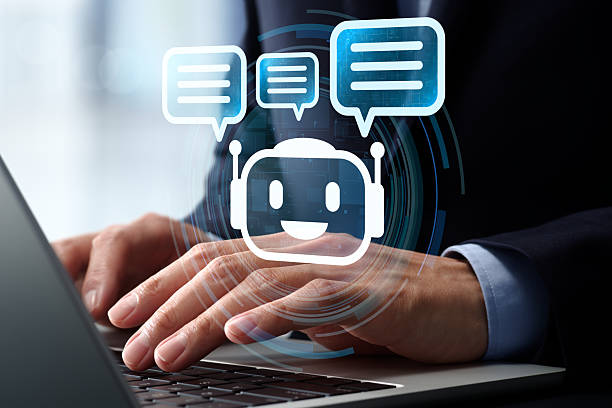 2
2 3
3 4
4 5
5 6
6 7
7 8
8 9
9 10
10 11
11 12
12 13
13 14
14 15
15 16
16 17
17 18
18 19
19 20
20 21
21 22
22 23
23 24
24 25
25 26
26 27
27 28
28 29
29 30
30 31
31 32
32 33
33 34
34 35
35 36
36 37
37 38
38 39
39 40
40 41
41 42
42 43
43 44
44 45
45 46
46 47
47 48
48 49
49 50
50 51
51 52
52 53
53 54
54 55
55 56
56 57
57 58
58 59
59 60
60 61
61Understanding AI Chatbots and Planning Your First Project
Artificial intelligence has transformed the way people interact with technology. Businesses, schools, healthcare providers, government agencies, and individual creators now use AI-powered chatbots to answer questions, automate repetitive work, provide customer support, and deliver personalized experiences around the clock.
What once required a team of software engineers and data scientists can now be achieved by individuals using modern AI platforms and no-code or low-code tools. Whether you’re building a chatbot for your website, an online store, internal business operations, or educational purposes, understanding the fundamentals is the key to creating a useful and reliable solution.
This guide explains the complete process of building your first AI chatbot—from planning and choosing the right technology to deployment and ongoing improvement. Rather than focusing only on technical details, it emphasizes practical decision-making, user experience, and responsible AI development.
Key Takeaway: A successful chatbot is not the one with the most advanced AI model. It is the one that solves real user problems accurately, efficiently, and consistently.
An AI chatbot is a software application that uses artificial intelligence—particularly natural language processing (NLP) and, increasingly, large language models (LLMs)—to understand user input and generate helpful responses in conversational language.
Unlike traditional rule-based chatbots that only respond to predefined commands, AI chatbots can interpret intent, maintain context, and produce more natural, flexible answers.
Common examples include:
Most modern AI chatbots follow a series of steps:
More advanced systems also:
The intelligence of a chatbot depends not only on the AI model but also on the quality of its knowledge sources, conversation design, and testing.
Choosing the right chatbot begins with understanding the available categories.
These operate using predefined decision trees.
Advantages:
Limitations:
These use machine learning and large language models to understand natural language.
Advantages:
Limitations:
Many organizations combine both approaches.
For example:
This hybrid approach provides flexibility while maintaining reliability.
Organizations across industries use chatbots because they improve efficiency while reducing operational costs.
Benefits include:
For startups and small businesses, chatbots also allow limited teams to support many users simultaneously.
AI chatbots are used in numerous industries.
Many first-time builders make the mistake of trying to create a chatbot that does everything.
Instead, start with one clear objective.
Examples:
A focused chatbot is easier to build, test, and improve.
Best Practice: Write a one-sentence mission for your chatbot before writing any code. This keeps the project aligned with user needs.
Every successful chatbot begins with understanding its audience.
Ask questions such as:
Creating user personas helps identify common needs and design conversations that feel intuitive.
There is no single “best” platform for every chatbot project. The right choice depends on your goals, technical skills, budget, and deployment needs.
Popular options include:
Compare platforms based on:
Expert Tip: Beginners often achieve faster results using managed AI platforms before exploring self-hosted open-source models.
Before opening a code editor or no-code builder, prepare a simple project plan.
Include:
Planning first prevents unnecessary complexity and makes future improvements easier.
Building your first AI chatbot begins with understanding what problems you want to solve, who your users are, and which technologies best fit your goals. A successful chatbot is the result of thoughtful planning, realistic expectations, and continuous improvement—not just choosing a powerful AI model.

A chatbot is only as useful as the conversations it can handle. Even the most powerful AI model cannot provide a good user experience if the conversation flow is confusing or lacks direction.
Before writing code, map out how users are likely to interact with your chatbot.
Ask yourself:
Design for the User
Design conversations around real user needs—not around your organization’s internal structure. Users care about solving problems quickly, not navigating complicated menus.
A conversation flow is a blueprint that outlines how the chatbot responds to different user inputs.
For example:
User: “Where is my order?”
Chatbot:
Documenting these flows helps identify missing steps and improves consistency before development begins.
Modern AI chatbots rely heavily on prompts—instructions that guide the AI model’s behavior.
A well-crafted system prompt should define:
Expert Tip
A clear system prompt improves consistency far more than repeatedly correcting individual responses.
Different AI models excel at different tasks. Consider:
The best choice depends on your application’s requirements rather than simply selecting the largest model.
A chatbot becomes significantly more valuable when it can access reliable information.
Possible knowledge sources include:
Keep this information current to ensure accurate responses.
Keep Content Updated
Even the best AI model cannot compensate for outdated or inaccurate documentation. Regularly review and refresh your knowledge base.
Many modern chatbots use Retrieval-Augmented Generation (RAG).
Instead of relying solely on the AI model’s training data, RAG enables the chatbot to:
Benefits include:
Users should understand when they are interacting with AI.
Good practices include:
Trust is earned through honesty and consistent performance.
Testing should begin long before deployment.
Test scenarios such as:
Gather feedback from real users to identify areas for improvement.
Test with Real Users
Internal testing is valuable, but actual users often ask unexpected questions that reveal weaknesses in conversation design.
Establish metrics to evaluate performance, including:
Review these metrics regularly and refine your chatbot based on user feedback.
Many first-time chatbot projects fail because they:
Starting with a focused use case and improving over time usually delivers better results.
Successful AI chatbots combine thoughtful conversation design, high-quality knowledge sources, effective prompting, and continuous testing. By focusing on user needs, maintaining accurate information, and measuring performance, you create a chatbot that delivers real value rather than simply generating responses.
After planning your chatbot, designing conversations, and selecting an AI model, the next step is turning your ideas into a working application. A production-ready chatbot should be reliable, secure, scalable, and easy to maintain.
Many first-time developers focus only on getting the chatbot to answer questions. However, a successful chatbot also needs strong security, monitoring, and ongoing improvements.
Callout Box – Think Beyond the Demo
A chatbot that works well in testing may struggle with real users. Plan for continuous monitoring, updates, and improvements from day one.
Users need an intuitive way to communicate with your chatbot. Depending on your goals, you can deploy it through:
The interface should be simple, responsive, and accessible on both desktop and mobile devices.
Your application sends the user’s message to an AI service, receives a response, and displays it in the conversation.
A typical workflow includes:
This layered approach improves reliability and allows you to apply custom business logic before displaying responses.
Many useful chatbots connect with existing systems such as:
These integrations allow the chatbot to perform useful tasks rather than simply answering general questions.
Callout Box – Protect Sensitive Data
Only grant the chatbot access to information it genuinely needs. Apply the principle of least privilege and encrypt sensitive data both in transit and at rest.
AI cannot solve every problem.
Your chatbot should recognize situations where human assistance is more appropriate, such as:
A smooth transition to a support representative improves customer trust and satisfaction.
Security should be built into every stage of chatbot development.
Recommended practices include:
Organizations should also comply with applicable privacy regulations in the regions where they operate.
Expert Tip
Never hard-code API keys or passwords into your application’s source code. Use secure environment variables or secret management services instead.
Responsible AI means creating systems that are accurate, transparent, and fair.
Developers should:
Responsible development strengthens user confidence and supports long-term adoption.
Launching your chatbot is only the beginning.
Track important metrics such as:
These insights help identify opportunities for improvement.
Analytics reveal how users interact with your chatbot.
Look for patterns such as:
Use these findings to improve prompts, update knowledge sources, and redesign conversation flows.
Callout Box – Continuous Improvement
AI chatbots are not “set-and-forget” tools. Regular updates, user feedback, and performance reviews are essential for long-term success.
As usage grows, your chatbot should be able to handle increased demand without sacrificing quality.
Consider:
Scalability ensures consistent performance during traffic spikes.
Avoid these frequent issues:
Addressing these challenges early saves time and improves user satisfaction.
Once your chatbot is stable, you can expand its capabilities by adding:
These enhancements can increase the chatbot’s value as organizational needs evolve.
Deploying an AI chatbot involves much more than connecting an AI model. A successful production chatbot combines secure architecture, reliable integrations, thoughtful user experience, ongoing monitoring, and continuous optimization. By investing in security, analytics, and responsible AI practices, you create a chatbot that remains useful, trustworthy, and scalable over time.
Organizations of all sizes are using AI chatbots to improve customer service, reduce costs, and increase productivity.
Online retailers use AI chatbots to:
Benefits include faster customer service and improved shopping experiences.
Healthcare organizations use AI assistants to help patients:
Important medical decisions should always involve qualified healthcare professionals.
Financial institutions use AI chatbots to:
Security and privacy remain top priorities in financial applications.
Educational institutions deploy AI chatbots to:
Students receive faster assistance while staff can focus on more complex tasks.
Learn from Real Deployments
Successful AI chatbots solve specific problems well. They are continuously improved using user feedback, analytics, and updated knowledge sources.
AI technology continues to evolve rapidly. Over the next few years, chatbots are expected to become:
Generative AI, Retrieval-Augmented Generation (RAG), and AI agents are expected to play increasingly important roles in future chatbot development.
As AI systems become more capable, developers have greater responsibility.
Follow these principles:
Responsible AI helps build long-term trust with users.
Before launching your chatbot, verify that you have completed the following:
✅ Defined a clear chatbot objective
✅ Identified your target audience
✅ Designed conversation flows
✅ Written effective system prompts
✅ Connected trusted knowledge sources
✅ Tested common user scenarios
✅ Implemented security measures
✅ Protected API keys and credentials
✅ Added human handoff when necessary
✅ Configured analytics and monitoring
✅ Prepared a maintenance plan
Launch with Confidence
A successful launch is not the finish line. Continue monitoring conversations, updating knowledge, and refining responses as user needs evolve.

No. Many platforms offer no-code or low-code tools that allow beginners to build useful AI chatbots.
The best model depends on your budget, required accuracy, supported languages, integration needs, and performance requirements. Evaluate models based on your specific use case rather than popularity alone.
Not entirely. AI is excellent for repetitive and routine tasks, but complex, sensitive, or high-risk situations often require human expertise.
Costs vary depending on:
Many providers offer free tiers for experimentation before moving to paid plans.
Review performance regularly and update:
Continuous improvement keeps the chatbot accurate and useful.
Building your first AI chatbot is both an educational journey and a practical investment. Start with a focused goal, understand your users, design thoughtful conversations, and choose technologies that fit your needs.
Remember that successful chatbots are not built once—they evolve over time. By collecting feedback, monitoring performance, and maintaining high-quality knowledge sources, you can create an AI assistant that delivers genuine value to users and supports your organization’s goals.
Whether you are a student, entrepreneur, developer, or business owner, the skills you gain while building your first AI chatbot will prepare you for a future where conversational AI plays an increasingly important role in everyday life.