Chatbot conversation. Person using online customer service with chat bot to get support. Artificial intelligence and CRM software automation technology. Virtual assistant on internet.
Quick Summary
AI chatbots have evolved from simple automated responders into intelligent virtual assistants capable of answering customer questions, qualifying leads, booking appointments, processing orders, and providing 24/7 customer support. For small businesses, the right chatbot platform can improve customer satisfaction, reduce operational costs, and increase sales without requiring a large support team.
Introduction
Benefits, and What to Look for When Choosing a Chatbot Platform
Customer expectations have changed dramatically over the past few years. Today’s consumers expect businesses to respond within minutes rather than hours. Whether they are shopping online, booking services, or asking about products, customers increasingly expect instant answers at any time of day.
For many small businesses, meeting these expectations is difficult. Hiring enough customer support representatives to provide round-the-clock service is expensive, and many startups simply do not have the resources.
This is where AI chatbot platforms have become essential.
Modern chatbot platforms combine artificial intelligence, natural language processing (NLP), automation, and integrations with business software to deliver fast, personalized, and scalable customer interactions.
Unlike older chatbots that followed rigid scripts, today’s AI-powered chatbots can understand natural conversations, remember context, retrieve information from company knowledge bases, and even perform business tasks.
From online stores and healthcare clinics to law firms, schools, travel agencies, and SaaS companies, chatbots have become an important competitive advantage.
Why Small Businesses Need AI Chatbots
Chatbot conversation. Person using online customer service with chat bot to get support. Artificial intelligence and CRM software automation technology. Virtual assistant on internet.
Small businesses face unique challenges.
These include:
Limited customer support staff
Budget constraints
Increasing customer expectations
Growing competition
Need for higher productivity
Pressure to generate more leads
A chatbot helps solve many of these problems simultaneously.
Benefits include:
24/7 customer service
Faster response times
Higher customer satisfaction
Lower support costs
Better lead generation
Appointment scheduling
Sales assistance
Automated FAQs
Multilingual communication
Integration with CRM systems
Callout: Did You Know?
Research from industry analysts consistently shows that customers are more likely to purchase from businesses that provide immediate responses to inquiries. Even reducing response time from hours to minutes can significantly improve conversion rates.
What Makes a Great Chatbot Platform?
Not every chatbot platform is suitable for every business.
The best solutions balance affordability, ease of use, AI capabilities, integrations, security, and scalability.
Below are the most important evaluation criteria.
1. Ease of Setup
Small businesses often lack dedicated IT teams.
A chatbot platform should allow users to:
Build bots visually
Customize conversations
Launch quickly
Maintain without coding
No-code or low-code builders reduce implementation time and cost.
2. Artificial Intelligence
Modern AI chatbots should understand conversational language instead of relying only on keyword matching.
Look for platforms offering:
Natural language understanding (NLU)
Context awareness
AI-generated responses
Knowledge base integration
Continuous learning and improvement
3. Integration Capabilities
A chatbot becomes much more valuable when connected to existing business tools.
Common integrations include:
CRM software
Email marketing platforms
Help desk software
E-commerce stores
Payment systems
Scheduling tools
Social media messaging
The more seamlessly the chatbot integrates, the greater its business value.
4. Multi-Channel Support
Customers communicate through many channels.
The best chatbot platforms support:
Website live chat
Facebook Messenger
Instagram
WhatsApp
Slack
Microsoft Teams
SMS
Mobile apps
Managing conversations from one dashboard improves efficiency.
5. Analytics
Business decisions should be based on data.
Useful chatbot analytics include:
Number of conversations
Customer satisfaction
Resolution rate
Average response time
Conversion rate
Popular questions
Lead generation performance
These insights help optimize both customer service and marketing.
6. Security
Security is increasingly important, especially when handling customer information.
Look for:
Data encryption
Role-based permissions
Compliance with applicable privacy regulations
Secure cloud infrastructure
Access controls
Businesses in healthcare, finance, and legal services should pay particular attention to compliance requirements.
Types of Chatbots
Understanding chatbot categories helps businesses choose the right solution.
Rule-Based Chatbots
These follow predefined conversation paths.
Best for:
FAQs
Appointment booking
Basic customer support
Simple workflows
Advantages:
Easy to build
Predictable responses
Lower cost
Limitations:
Limited flexibility
Cannot understand complex requests well
AI Chatbots
These use advanced language models and machine learning to understand natural conversations.
Advantages:
Human-like responses
Better personalization
Context awareness
More flexible conversations
Ideal for:
Customer service
Sales support
Product recommendations
Internal knowledge assistants
Hybrid Chatbots
Hybrid systems combine rule-based workflows with AI capabilities.
Many leading platforms now use this approach because it offers both reliability and conversational flexibility.
Expert Insight
The most successful chatbot deployments do not aim to replace human agents entirely. Instead, they automate repetitive tasks and seamlessly hand over complex issues to people when needed, creating a better experience for customers and employees alike.
Industries That Benefit Most
Chatbots are valuable across many sectors.
Examples include:
Retail and e-commerce
Healthcare
Real estate
Education
Banking
Insurance
Hospitality
Restaurants
Professional services
Software companies
Each industry can tailor chatbot workflows to its specific customer needs.
How This Guide Is Organized
In the following parts of this guide, we’ll compare the leading chatbot platforms for small businesses in 2026, including their strengths, limitations, pricing considerations, AI capabilities, integrations, and best use cases. We’ll also provide practical recommendations for different business sizes and industries to help you choose the platform that fits your goals.
Choosing the right chatbot platform depends on your business size, customer support needs, budget, and existing software. The platforms below are among the most widely adopted and offer strong AI capabilities, automation, and integrations suitable for small businesses.
1. OpenAI (ChatGPT API)
Overview
OpenAI provides powerful AI models that businesses can integrate into websites, mobile apps, customer support systems, and internal tools. Rather than being a complete customer service platform by itself, OpenAI supplies the AI engine that powers intelligent conversational experiences.
Small businesses often use OpenAI through software platforms or by integrating its API into custom applications.
Best For
AI-powered customer support
Intelligent virtual assistants
Lead qualification
Product recommendations
Content generation
Internal knowledge assistants
Key Features
Advanced natural language understanding
Multi-language support
Knowledge base integration
API for custom development
Function calling and automation
Image and text capabilities (supported models)
Advantages
Highly natural conversations
Extremely flexible
Continually improving AI models
Strong developer ecosystem
Considerations
May require technical setup for custom solutions
Usage costs depend on API consumption
Best Fit: Businesses that want highly intelligent, customizable AI assistants.
HubSpot combines CRM, marketing, sales, and customer service tools into one platform. Its AI-powered customer agent helps answer questions, qualify leads, and improve customer engagement.
Best For
Small businesses using HubSpot CRM
Marketing automation
Lead generation
Customer support
Key Features
CRM integration
Live chat
AI responses
Ticket routing
Lead capture forms
Reporting dashboards
Advantages
Excellent all-in-one ecosystem
Easy for non-technical users
Strong automation features
Considerations
Advanced features may require paid plans
Best Fit: Growing businesses that want sales, marketing, and support in a single platform.
Intercom is a customer communications platform that combines live chat, AI assistance, and help desk tools. Its AI agent can answer customer questions using your company’s help center and documentation.
Best For
SaaS companies
Online businesses
Customer onboarding
Technical support
Key Features
AI customer service
Help center integration
Live chat
Workflow automation
Team inbox
Customer messaging
Advantages
Excellent user experience
Powerful automation
Strong analytics
Rich integrations
Considerations
Can become expensive as businesses grow
Best Fit: Businesses with high customer interaction volumes.
Zendesk is one of the world’s leading customer support platforms. Its AI features automate repetitive support tasks while allowing human agents to handle more complex conversations.
Best For
Customer service teams
Help desks
Technical support
Growing companies
Key Features
AI-powered ticket handling
Automated replies
Knowledge base integration
Live chat
Omnichannel support
Customer analytics
Advantages
Enterprise-grade reliability
Extensive integrations
Excellent reporting
Considerations
Some advanced AI features require higher-tier subscriptions
Best Fit: Businesses expecting to scale customer support operations.
Before committing to a paid subscription, take advantage of free trials or starter plans. Test how well the chatbot understands your customers’ most common questions, integrates with your existing tools, and supports your team’s workflow.
More Leading Chatbot Platforms and How to Choose the Right Solution
Using system AI Chatbot in computer or mobile application to uses artificial intelligence chatbots automatically respond online messages intelligent service to help customers
Key Insight
There is no single “best” chatbot platform for every business. The ideal solution depends on your budget, technical expertise, customer volume, and long-term growth plans. Choose a platform that solves your current needs while allowing room to scale.
6. Zoho SalesIQ
Overview
Zoho SalesIQ combines live chat, visitor tracking, and AI-powered chatbot capabilities into one platform. It integrates seamlessly with the Zoho ecosystem, making it a strong choice for businesses already using Zoho CRM and related applications.
Best For
Small and medium-sized businesses
Sales teams
Customer support
Businesses using Zoho products
Key Features
AI chatbot automation
Live website chat
Visitor tracking
CRM integration
Workflow automation
Mobile apps for support teams
Advantages
Affordable pricing
Strong integration with Zoho apps
Easy deployment
Good reporting tools
Limitations
Advanced customization may require additional setup.
Freshchat, part of the Freshworks platform, provides AI-powered messaging, customer support, and chatbot automation. It is designed to help businesses manage conversations across websites, mobile apps, and messaging channels.
Best For
Customer support teams
Online retailers
Growing companies
SaaS businesses
Key Features
AI conversation bot
Omnichannel messaging
Team collaboration
Automation workflows
CRM integration
Analytics dashboard
Advantages
Modern interface
Scalable plans
Easy onboarding
Strong automation
Considerations
Premium AI features are available on higher-tier plans.
A chatbot delivers far more value when connected to your CRM, help desk, email marketing platform, calendar, and e-commerce tools. Integrations reduce manual work and create a smoother customer experience.
8. Microsoft Copilot Studio
Overview
Microsoft Copilot Studio enables organizations to build AI-powered conversational assistants that integrate with Microsoft 365, Teams, Dynamics 365, and other Microsoft services.
Best For
Businesses using Microsoft 365
Internal employee support
Customer service
Enterprise workflows
Key Features
Generative AI
Low-code chatbot builder
Microsoft Teams integration
Power Platform connectivity
Knowledge source integration
Advantages
Strong security features
Excellent Microsoft ecosystem integration
Enterprise scalability
Considerations
Best suited to organizations already invested in Microsoft technologies.
Botpress is a flexible conversational AI platform designed for businesses that want greater control over chatbot development. It supports visual workflow building and AI-powered conversations.
Before choosing a chatbot platform, answer these questions:
What is my monthly budget?
Do I need live chat or AI-only conversations?
Which business software must the chatbot integrate with?
Will I need multilingual support?
Can my team manage a chatbot without coding?
How quickly do I expect my business to grow?
Your answers will help narrow down the best option for your business.
Expert Recommendation
For many small businesses, starting with an affordable, easy-to-use platform is often the best approach. As customer volume and automation needs increase, businesses can expand to more advanced AI platforms without replacing their entire customer support strategy.
Pricing, Implementation Tips, Future Trends, FAQs, and Final Recommendations
Chatbot conversation Ai Artificial Intelligence technology online customer service.Digital chatbot, robot application, OpenAI generate. Futuristic technology.Virtual assistant on internet.
The most successful chatbot implementations are those that complement—not replace—human customer service. Use AI to automate repetitive tasks while ensuring customers can easily reach a human agent when needed.
Understanding Chatbot Pricing
Pricing varies significantly depending on the platform and the features included. Common pricing models include:
Free Plans: Suitable for testing or very small businesses with basic needs.
Subscription Plans: Monthly or annual pricing based on features, number of users, or conversations.
Usage-Based Pricing: Charges based on API requests, AI tokens, or message volume.
Enterprise Plans: Custom pricing for organizations requiring advanced security, compliance, and support.
When comparing costs, consider the total value provided, including automation, customer satisfaction, and time saved.
Best Practices for Successful Implementation
Launching a chatbot is more than installing software. To maximize results:
Define Clear Goals
Determine whether your chatbot will focus on:
Answering FAQs
Capturing leads
Booking appointments
Supporting customers
Recommending products
Build a Strong Knowledge Base
The quality of AI responses depends on the information it can access. Keep documentation accurate and up to date.
Test Before Launch
Run internal tests using common customer questions to identify gaps and improve responses before making the chatbot public.
Monitor Performance
Track metrics such as:
Conversation volume
Resolution rate
Customer satisfaction
Escalation to human agents
Lead conversion
Regular monitoring helps improve performance over time.
Keep Improving
Customer questions change as your business evolves. Review chatbot conversations regularly and update your knowledge base, workflows, and responses to maintain accuracy and relevance.
Common Mistakes to Avoid
Even the best chatbot platform can underperform if implemented poorly. Avoid these common pitfalls:
Trying to automate every conversation
Making it difficult to reach a human agent
Neglecting chatbot training and updates
Ignoring customer feedback
Choosing a platform that doesn’t integrate with existing tools
Failing to measure chatbot performance
Future Trends in Chatbot Technology
AI chatbot technology continues to evolve rapidly. Key trends shaping the future include:
More advanced generative AI
Voice-enabled conversational assistants
Personalized customer interactions
Deeper CRM and business software integration
Multimodal AI supporting text, images, and voice
Improved multilingual capabilities
Enhanced security and privacy features
AI agents capable of completing complex business tasks
Small businesses that adopt these innovations responsibly can improve efficiency and customer experience while staying competitive.
Frequently Asked Questions (FAQs)
Which chatbot platform is best for beginners?
Platforms such as Tidio, HubSpot, and Zoho SalesIQ are generally considered beginner-friendly due to their visual builders and straightforward setup.
Do I need coding skills?
Many modern chatbot platforms provide no-code or low-code tools. Custom integrations and advanced functionality may require technical expertise.
Can chatbots replace human customer service?
No. Chatbots are most effective when handling repetitive or routine tasks, while human agents manage complex, sensitive, or high-value interactions.
Are AI chatbots secure?
Leading platforms provide encryption, access controls, and compliance features. Businesses should review each platform’s security documentation before deployment.
Can chatbots increase sales?
Yes. By answering questions instantly, qualifying leads, recommending products, and reducing friction during the buying process, chatbots can contribute to higher conversion rates.
📈 Final Recommendation
If your priority is affordability and ease of use, consider platforms designed specifically for small businesses. If you require advanced AI customization or enterprise-grade integrations, choose a platform that aligns with your technical capabilities and long-term growth strategy.
Conclusion
AI chatbots have become an essential tool for modern small businesses. They help deliver faster customer support, improve lead generation, reduce operational costs, and create better customer experiences.
Choosing the right platform depends on your goals, budget, existing technology stack, and expected growth. Solutions such as OpenAI, HubSpot, Intercom, Zendesk, Tidio, Zoho SalesIQ, Freshchat, Microsoft Copilot Studio, Google Cloud Vertex AI, and Botpress each offer unique strengths.
Rather than selecting the platform with the most features, focus on the one that best addresses your business needs today while providing room to scale in the future.
By investing in the right chatbot solution and continuously improving its knowledge and workflows, small businesses can strengthen customer relationships, streamline operations, and remain competitive in an increasingly AI-driven marketplace.
 1
1 2
2 3
3 4
4 5
5 6
6 7
7 8
8 9
9 10
10 11
11 12
12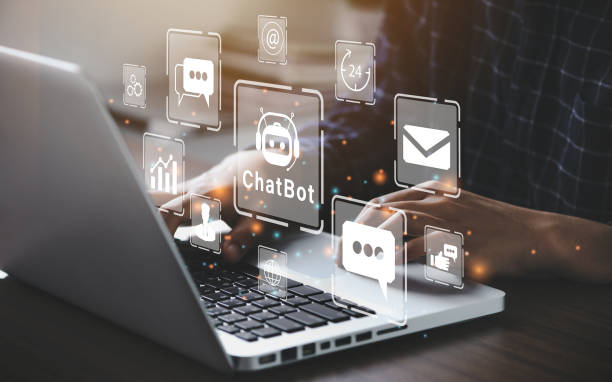 13
13 14
14 15
15 16
16 17
17 18
18 19
19 20
20 21
21 22
22 23
23 24
24 25
25 26
26 27
27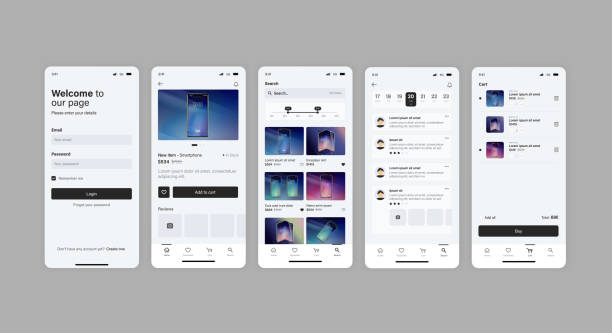 28
28 29
29 30
30 31
31 32
32 33
33 34
34 35
35 36
36 37
37 38
38 39
39 40
40 41
41 42
42 43
43 44
44 45
45 46
46 47
47 48
48 49
49 50
50 51
51 52
52 53
53 54
54 55
55 56
56 57
57 58
58 59
59 60
60 61
61